eMKW-TD0054-21- Page 59
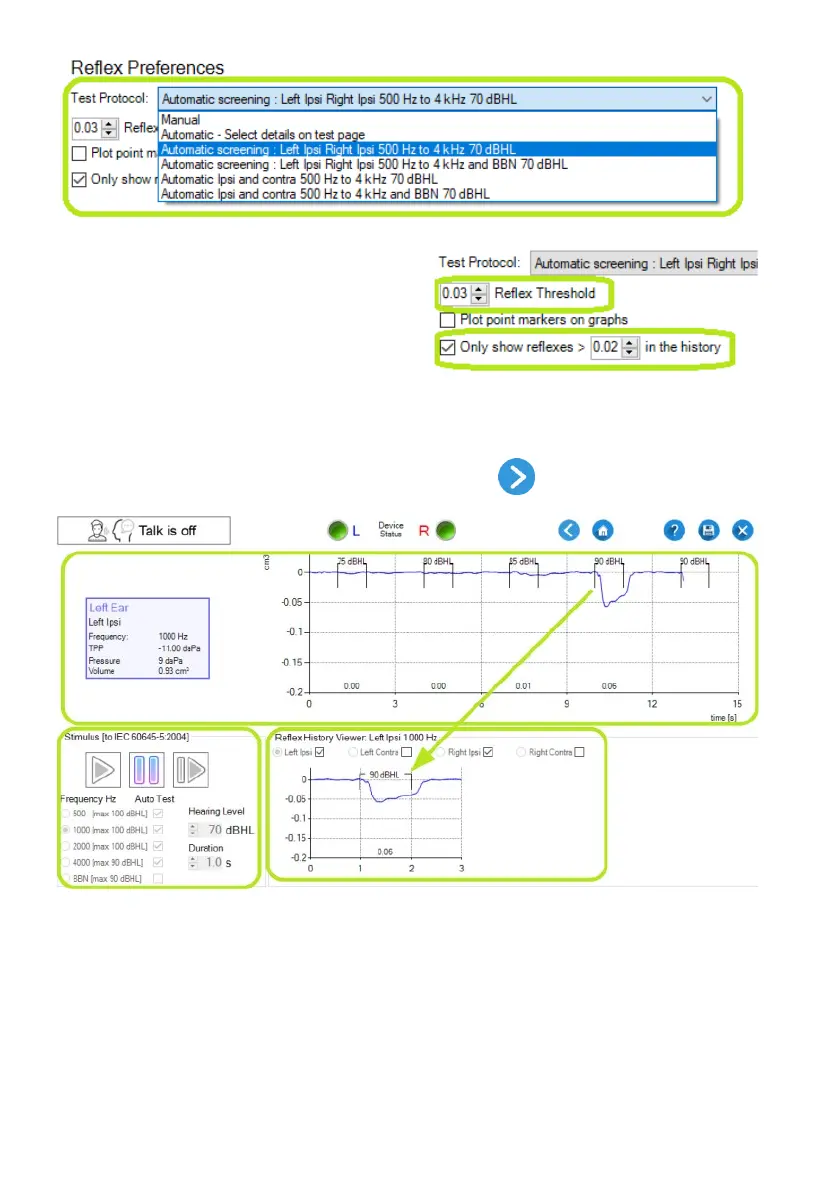
The reflex threshold used by the automatic test
protocols is selectable at the “Reflex Threshold”
control.
The reflex history records all reflex segments which
will go into the report data saved for the test. You
can select a history threshold for reflex segments to
save to avoid saving a large amount of segments
that do not contain reflex responses.
Move to the Reflex Test Page
To move on to the reflex test page, click on the Next button from the tympanogram page. This
opens the reflex test page where the acoustic reflexes are tested:
Reflex Test Page Layout
The top part of the reflex test page shows a graph of the most recent measurements in the probe ear at
a single stimulus type (e.g. 1000 Hz). Information about the current test is shown at the top left. This
includes the probe ear, current stimulus, TPP, Pressure and indicated volume. The indicated volume is
not the same as the Ear Canal Volume (ECV) since ECV is measured when the tympanic membrane is
stiffened by probe pressure.
Reflex History



 To Next Page