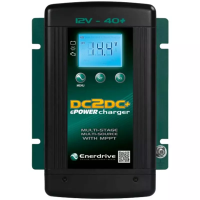
Battery Wiring: Connecting The Batteries The Right Way
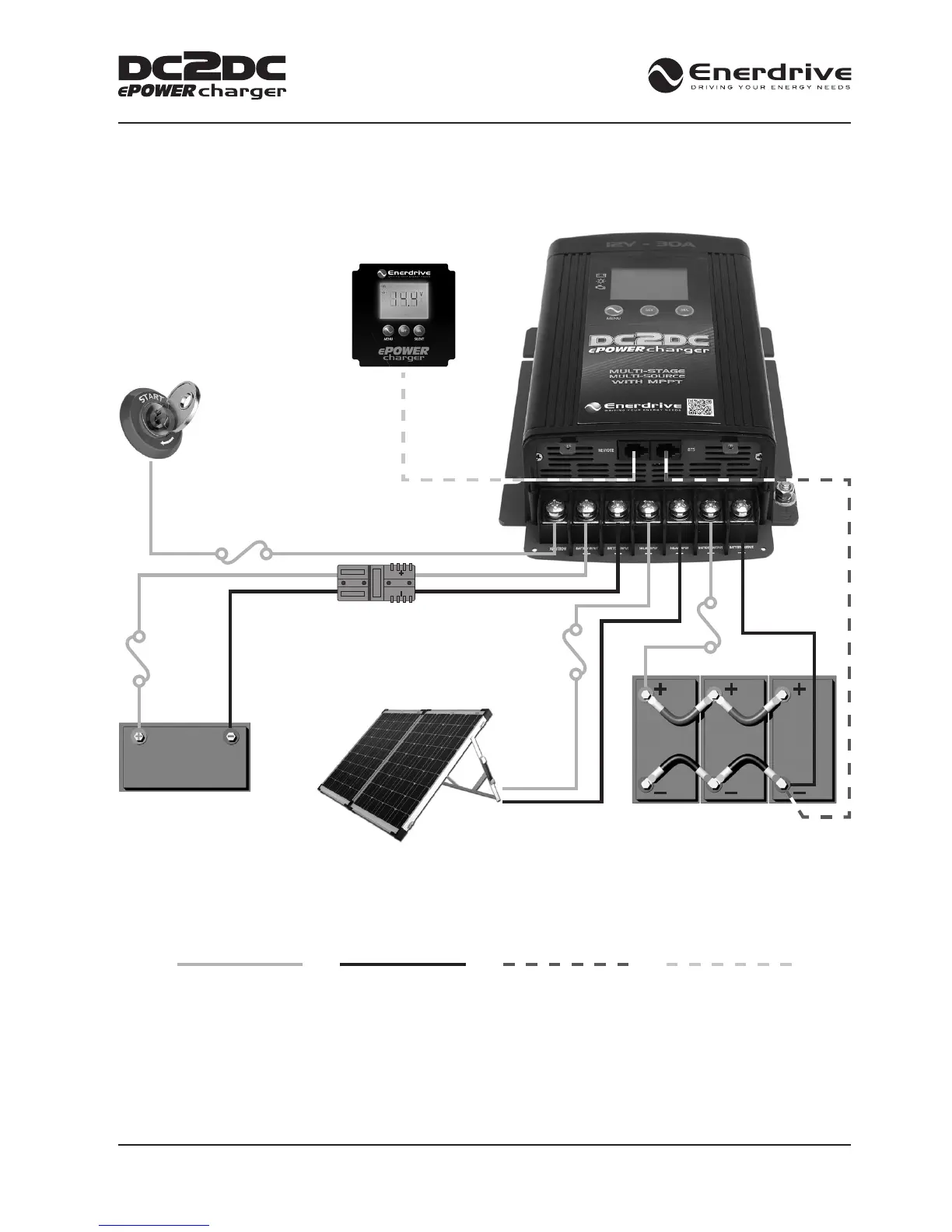
(Optional Ignition - On)
VSO
(Voltage Sense Override)
Optional Remote Display
(Sold Separately)
Remote Cable
(Sold Separately)
Anderson Plug (Optional)
MPPT Solar Panel Input
Max: 500w / 45VOC
(For xed or portable panels)
Start / Vehicle Battery
12V or 24V
Fuse / Breaker
12V - 50A
24V - 25A
Fuse Size 1A
Fuse / Breaker
Fuse / Breaker
40A
Temp Sensor Cable
(Included)
12V House Battery Bank
This diagram is for a referance only. No cables, fuse/breakers, batteries or solar panels are supplied with this unit.
Local rules and regulations should be followed when installing this unit.
POSITIVE WIRE NEGATIVE WIRE TEMPERATURE SENSOR
CABLE (INCLUDED)
REMOTE CABLE
(SOLD SEPARATELY)


 To Next Page