Need help?
Do you have a question about the Enerdrive DC2DC and is the answer not in the manual?
Covers general cautions, shock hazards, fire risks, and usage limitations.
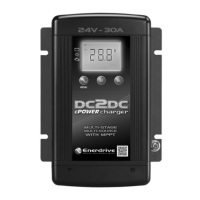
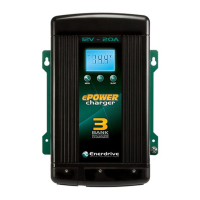
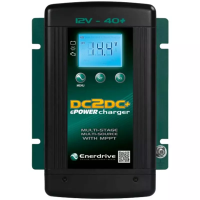
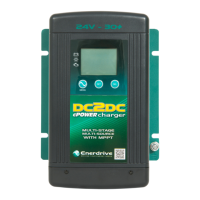
Lists the components included in the Enerdrive ePOWER DC2DC Battery Charger package.
Explains the three stages: Bulk, Absorption, and Float charging.
Details load-based regulation to maintain battery health.
Provides specific voltage settings for GEL, AGM, Flooded, and Lithium batteries.
Guidance on matching charger current to battery bank capacity (Ah).
Emphasizes professional wiring, indoor mounting, and ventilation requirements.
Details vertical mounting positions and using the unit as a template.
Explains the importance of grounding and the connection point.
Covers DC wiring size, fuses, breakers, and isolators.
Visual guide showing unit ports and wiring terminals.
Tables providing cable sizing and fuse recommendations for various connections.
Illustrates the complete battery wiring setup with components.
Explains how the charger is powered and display behavior.
Details input voltage ranges and operating conditions for CH3.
Explains de-rating, shutdown, and voltage detection logic for CH3.
Details PV input voltage ranges, mechanism, and maximum solar input.
Explains display information and button functions during regular use.
Details the role of MENU, SET, and SEL buttons for configuration.
Provides detailed explanations for MENU, SET, and SEL button operations.
Explains how the Ignition terminal forces CH3 connection.
Outlines the process to enter and exit charger settings.
Describes the Bulk, Absorption, and Float charging stages.
Explains the role of the battery temperature sensor.
Details manual and sensor-based voltage adjustments for temperature.
Provides safety warnings and steps for equalizing flooded batteries.
Covers de-rating, shutdown, reverse polarity, and charging dead batteries.
Explains error codes (E01-E08) and status codes for faults like voltage issues, over-temperature, and short circuits.
Details voltage, current, power, and input ratings for the charger.
Lists selectable battery types, voltage/current ranges, and efficiency.
Provides physical size and weight specifications for the unit.
Outlines the warranty period and coverage for the product.
Explains the procedure for returning or repairing the unit.
Lists exclusions and conditions not covered by the warranty.
Step-by-step guide to setting the bulk current for CH1.
Steps to set absorption and float current parameters.
Guide to selecting and setting the charging mode.
Steps for configuring temperature compensation settings.
Steps to select the Lithium battery type.
Steps to set the voltage for Lithium battery charging.
Steps to configure the charging current for Lithium batteries.
Steps to set the termination current for Lithium batteries.
Steps to select the Program battery type.
Steps to set the bulk voltage for Program battery type.
Steps to set the float voltage for Program battery type.
Steps to select and set the charge mode for Program battery type.
Steps to set absorption/float current for Program battery type.
 General
| Brand | Enerdrive |
|---|---|
| Model | DC2DC |
| Category | Battery Charger |
| Language | English |

 To Next Page