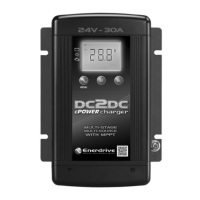
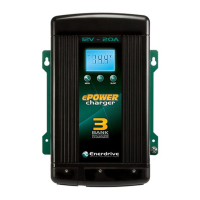
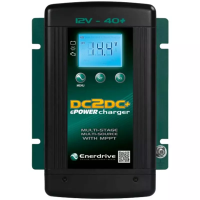
Understanding the Display & Function Keys during normal operation
Display
Digital Display LCD with back lighting
Digital Display Info : CH1
CH2 & CH3
Fault/Warning
Charging Status, Voltage, Current
Voltage
Error code E01-08, Warning A01-02
‘CH3’ Icon Flashing
CH3 > 12.0V on a 12V Input system
CH3 > 24.0V on a 24V Input system
and not charging from (alternator)
‘CH3’ Icon Solid Charging from CH3 input (Start Battery / Alternator)
‘CH2’ Icon Flashing CH2 > 14.5V and not charging from solar array
‘CH2’ Icon Solid Charging from CH2 input (solar)
• During normal operation (with CH2 and/or CH3 input), the display will scroll through CH1
status (‘Charging status- buL/ Abs/ Flo’, Output battery voltage and charging current’)
and cycle.
•
CH3 icon ash when the input voltage is above the Flashing Voltage (> 12 on a 12V system
or > 24V on a 24V system and it is not the source to charge the battery. It will change to
solid when it becomes the source to charge the battery.
• CH2 icon ash when the input voltage is above the Flashing Voltage (> 14.5V) and is not
the source to charge the battery. It will change to solid when it becomes the source to
charge the battery.
• During normal operation, Every time when the Button A is pressed once, the display will
show ‘CH2: Voltage’ for 3 seconds and ‘CH3: Voltage’ for 3 seconds and it will return to the
normal display automatically. If CH2 or CH3 is not connected, it will show 0V.
•
The display will remain ON when either one or both CH2 & CH3 inputs are available. Display
will turn OFF if CH2 or CH3 is not available.
•
During normal operation, the display shows the related channel’s battery voltage, charging
current and charging stage (‘bul’ – Bulk stage, ‘Abs’ – Absorption stage, ‘Ful – Float stage)
alternatively. When the ‘MENU’ key is pressed, it displays the other channel’s battery voltage
only.
•
During equalisation operation on ooded battery only, the numerical section on the display
will show a ashing ‘eq’ indicating the equalisation process is in progress and it will not
show the battery voltage or the charging current.


 To Next Page