XF Rev: 7, 2008-10-14 Page 27
8.1.3 Battery/charger check
• Check the battery for clean and tight terminals and correct electrolyte level.
• Check the charging voltage measured on the battery.
Correct charging voltage at 20°C (68°F) is:
• 14.4 V on 12 V systems
• 28.8 V on 24 V systems
• Check all high current components and connections, including battery fuse, main switch,
possible bulkhead feed-through, motor and control unit connections.
8.1.4 High current cable/connections check
Minimum voltage measured on the motor during operation should be;
• 10.5 V on 12 V systems
• 21.0 V on 24 V systems
• All thruster performance specifications measured by 10.5 / 21 V.
• If the voltage is below 10.5 V / 21 V the contactor will have low contact pressure. The
contacts can then easily burn or fuse together and the thruster contactor must then be
replaced.
NB: The electronic security system will, if necessary, cut the power and the thruster stop.
8.1.5 Joystick/operator panel check
The motor can be tested in both directions without the joystick/operator panel connected, as
described below.
• Short between terminal 1 and 2 on the control unit and the motor will run in one direction.
• Short between 2 and 3 and the motor will run in the opposite direction.
• Measure zero resistance, with wires disconnected from the control unit, between the
green and brown wire, and between the brown and white wire from the joystick/operator
panel when operating the lever/switch.
• This test will show whether the joystick/operator panel (with cable) is working and
whether the control unit is working.
8.1.6 Belt drive maintenance
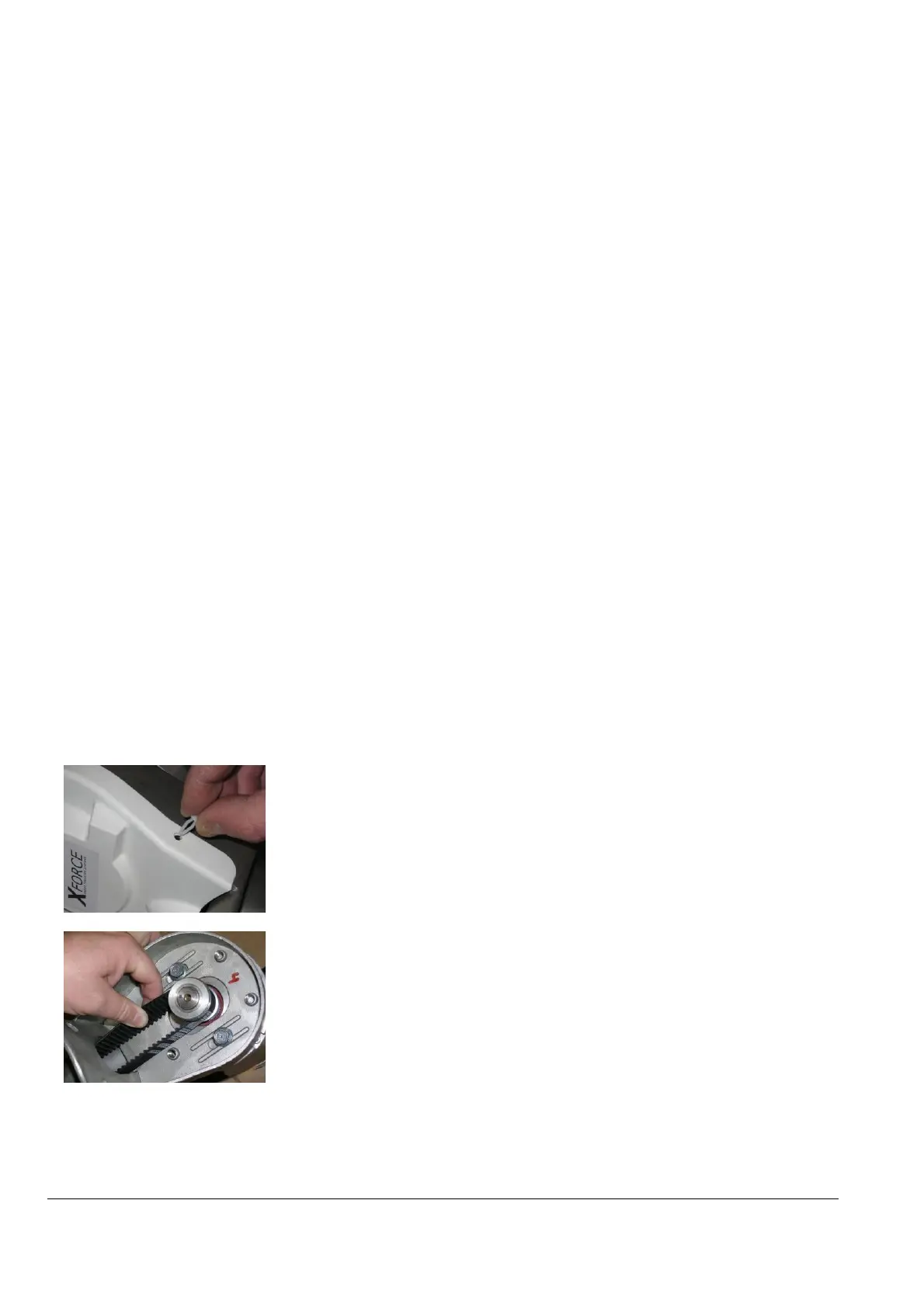
The belt drive usually requires no maintenance. To inspect the belt, the belt
cover must be removed.
NB: XF 60: Remove the lock plug on both sides of the cover before removing the
belt cover. Replace the opposite way.
NB: XF 20, XF 40, XF 75, XF 90 and XF 130: Snap off/on the belt cover.
8.1.7 Inspect the belt
Make sure that no teeth are damaged or worn.
Correct tension is when the belt can be twisted about 45 degrees.
If adjustment is required, loosen the 2/4 flange bolts and increase or decrease
the tension by adjusting the bolt under the motor. Tighten the flange bolts and
recheck the belt tension.


 To Next Page