EAP-3660 11b/g Wireless Access Point Version 1.1
Status
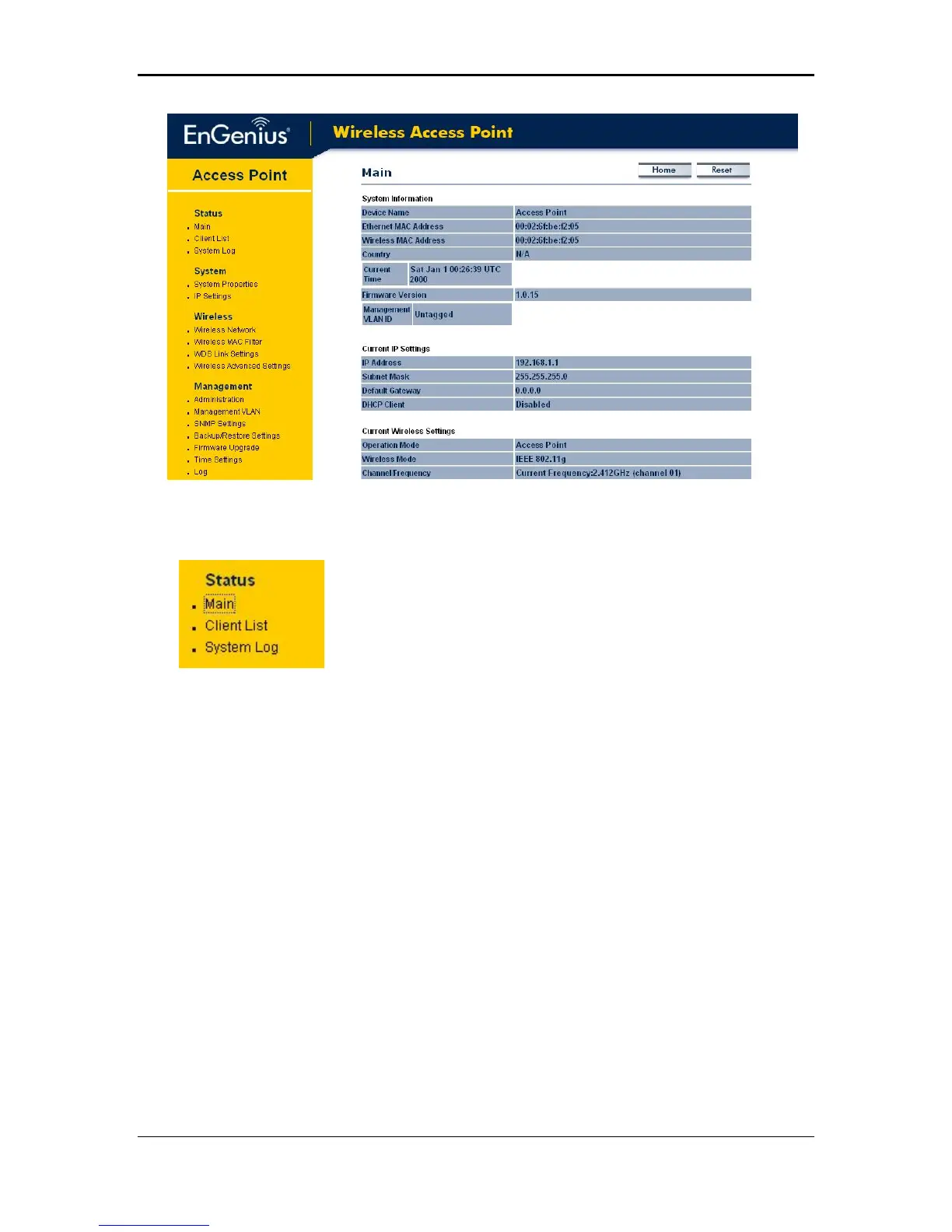
Click on the Status link on the navigation drop-down
menu. You will then see three options: main, client list,
and system log. Each option is described below.
Main – System Status
The Main page is the first page that is displayed once you have logged in. The
following information is included on this page:
o System Information – device name, Ethernet MAC address, Wireless MAC
address, country, current time, firmware version, and VLAN management tag.
o Current IP Settings: IP address, subnet mask, default gateway, and DHCP
client status.
o Current Wireless Settings: Operation mode, wireless mode, channel
frequency, profile isolation, profile settings such as SSID, and security
settings.
13



 To Next Page