EAP-3660 11b/g Wireless Access Point Version 1.1
Wireless MAC Filter
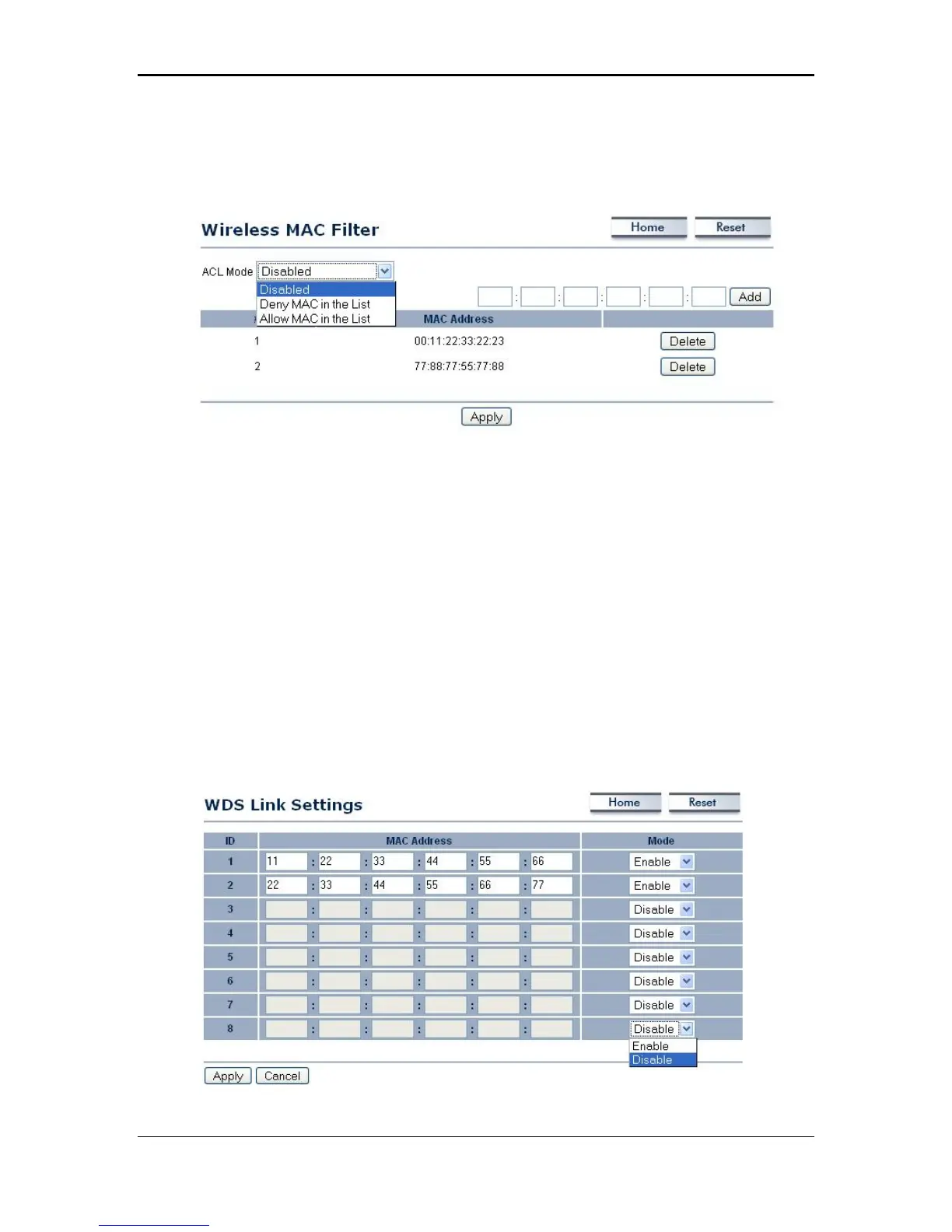
Click on the Wireless MAC Filter link under the Wireless menu. On this page you
can filter the MAC address by allowing or blocking access the network.
ACL (Access Control) Mode: You may choose to Disable, Allow Listed, or Deny
Listed MAC addresses from associating with the network. By selecting Allow MAC
in the List, only the address listed in the table will have access to the network; all
other clients will be blocked. On the other hand, selected Deny MAC in the List,
only the listed MAC addresses will be blocked from accessing the network; all other
clients will have access to the network.
MAC Address: Enter the MAC address.
This table lists the blocked or allowed MAC addresses; you may delete selected
MAC address or delete all the addresses from the table by clicking on the Delete
button.
Click on the Apply button to save the changes.
WDS Link Settings
Click on the WDS Link Settings On this page you can configure the WDS (Wireless
Distribution System) which allows the Access Point to function as a repeater.
22



 To Next Page