EAP-3660 11b/g Wireless Access Point Version 1.1
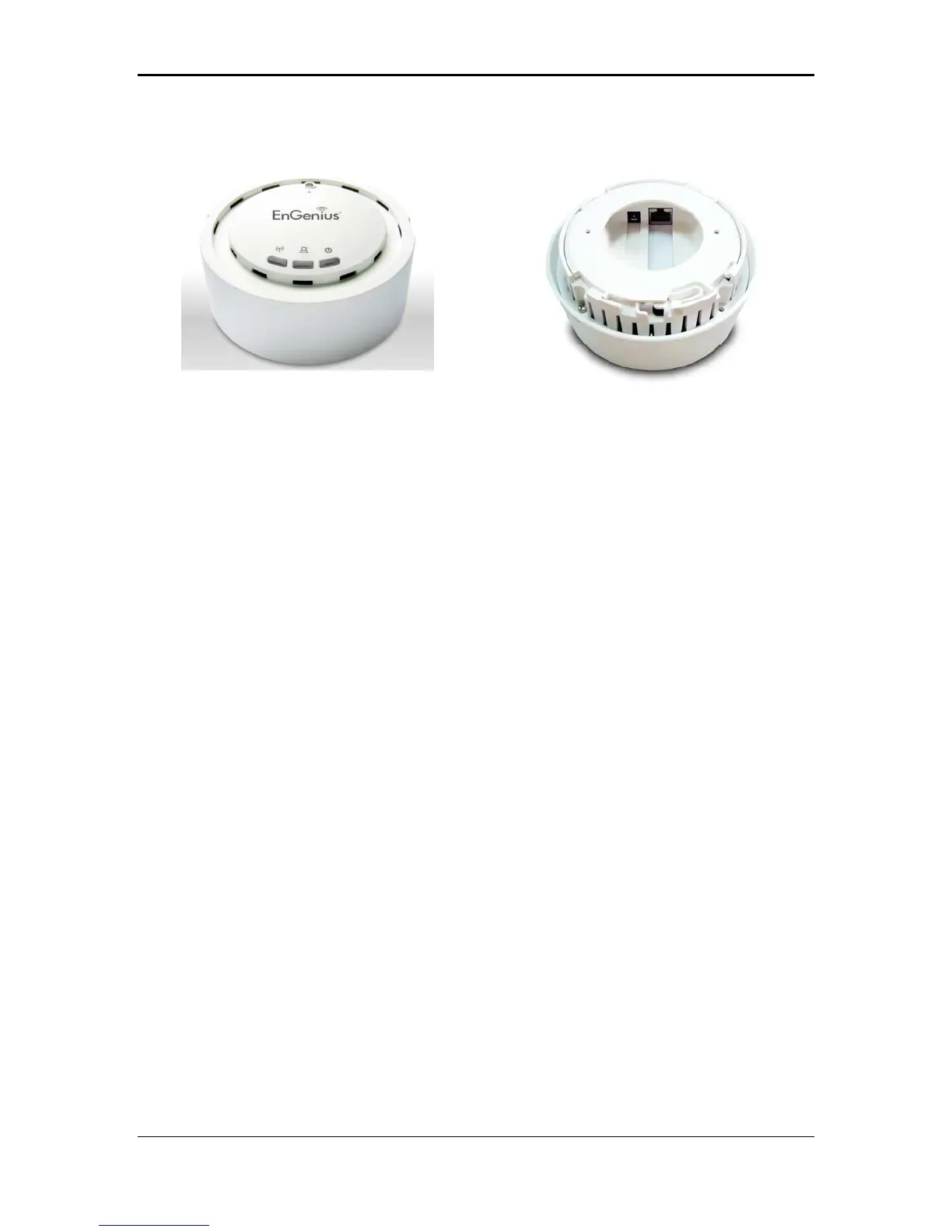
Access Point Description
Front Panel Rear Panel
System Requirements
wing are the minimum system requirements in order configure the
.
h Operating system that supports HTTP web-browser
Applications
ny applications made possible through the power and
flexibility of wireless LANs:
a)
treets make the
possible or very expensive.
b)
n sites where one wants a
c)
dealing with patients, serving
d)
tores, and manufacturing sites where
e)
ers need a cost-effective, easy and quick installation of a small
f) Wireless extensions to Ethernet networks
The follo
device.
h PC/AT compatible computer with a Ethernet interface
The wireless LAN products are easy to install and highly efficient. The following list
describes some of the ma
Difficult-to-wire environments
There are many situations where wires cannot be laid easily. Historic
buildings, older buildings, open areas and across busy s
installation of LANs either im
Temporary workgroups
Consider situations in parks, athletic arenas, exhibition centers, disaster-
recovery, temporary offices and constructio
temporary WLAN established and removed.
The ability to access real-time information
Doctors/nurses, point-of-sale employees, and warehouse workers can
access real-time information while
customers and processing information.
Frequently changed environments
Show rooms, meeting rooms, retail s
frequently rearrange the workplace.
Small Office and Home Office (SOHO) networks
SOHO us
network.
6



 To Next Page