35
5.4 Security
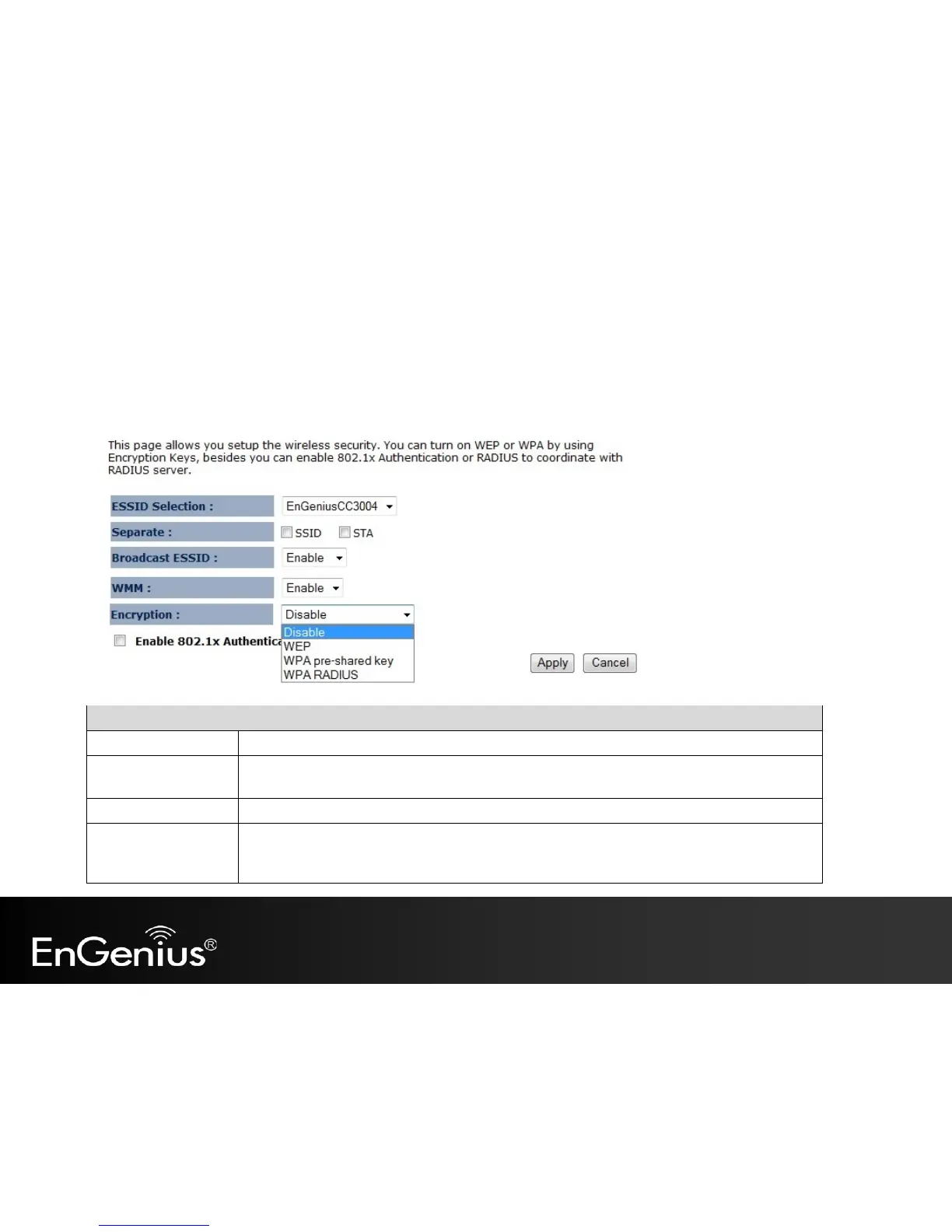
The Security option in the Wireless menu allows you to set the wireless security settings.
Note: Only in Access Point and WDS AP mode.
Security (Access Point / WDS AP mode)
Select the SSID that the corresponding security settings will apply to.
Separating the SSID from each other (or use of STA) prevents communication and data sharing
between wireless stations associated with the SSIDs.
If Disabled, the EAP150 will not broadcast the SSID. It will be invisible to the clients.
Wi-Fi Multi-Media is a Quality of Service protocol which prioritizes traffic in the order according
to voice, video, best effort, and background.
Note: In certain situations, WMM needs to be enabled to achieve 11n transfer speeds.



 To Next Page