48
6.2 LAN
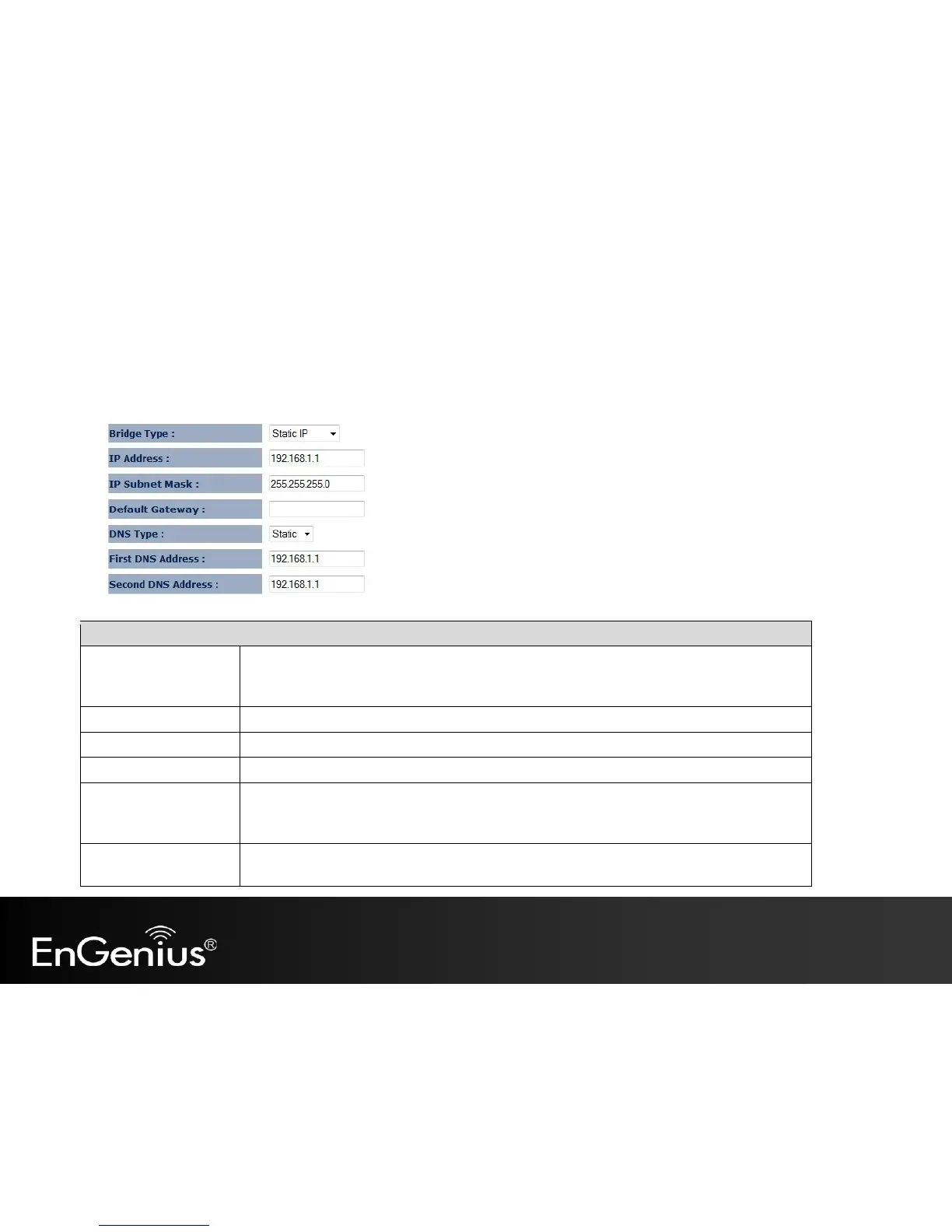
The LAN option of the Network menu allows you to modify the device's LAN settings.
Select the Bridge type of the LAN.
Static IP: Manually specify an IP address and subnet mask for the EAP150 to use.
Dynamic IP: The IP address is received automatically from the external DHCP server.
The LAN IP Address of the EAP150.
The LAN Subnet Mask of the EAP150.
The Default Gateway of the EAP150. Leave empty for default setting.
Select the DNS type of the LAN.
Static DNS: Manually specify the DNS of the EAP150.
Dynamic DNS: The DNS is received automatically from the external DNS server.
First / Second DNS
Address
The first / second DNS address for this device.



 To Next Page