15
2.3 Computer Settings in Apple Mac OS X
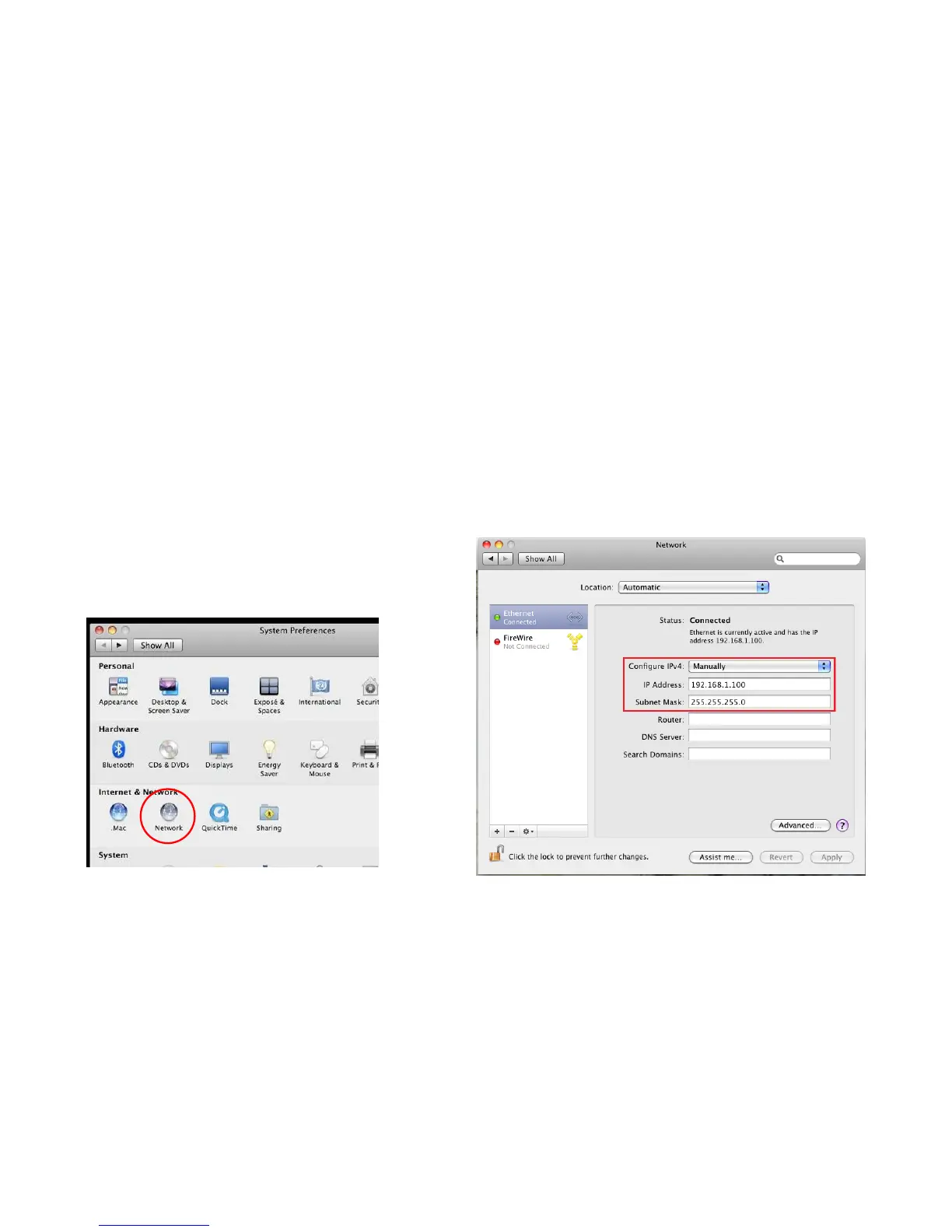
Go to System Preferences (can be opened in the Applications folder or selecting it in the Apple Menu)
Select Network in the Internet & Network section
Highlight Ethernet
In Configure IPv4, select Manually
Enter an IP address that is different from the ECB1200 and subnet mask then press OK
Note: Ensure that the IP address and subnet mask are on the same subnet as the device.
For example: ECB1200 IP address: 192.168.1.1
PC IP address: 192.168.1.2 – 192.168.1.255
PC subnet mask: 255.255.255.0
Click Apply when done.















 To Next Page