EasyManua.ls Logo

EnGenius ECB1200 - WDS Link Settings

EnGenius ECB1200
80 pages
Print Icon
To Next Page IconTo Next Page
To Previous Page IconTo Previous Page
Loading...
54
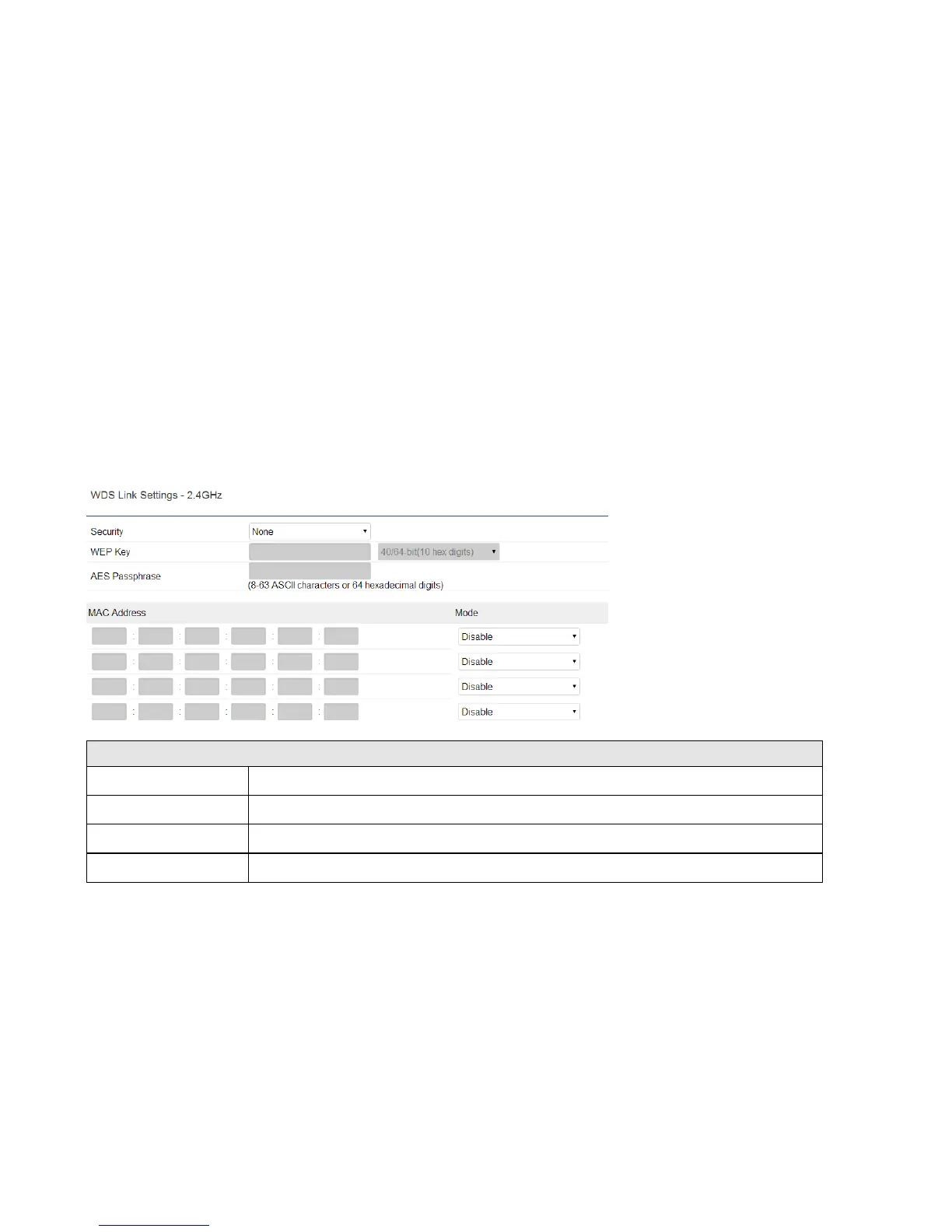
7.7 WDS Link Settings
WDS Bridge / WDS Station:
Using WDS (Wireless Distribution System) will allow a network administrator or installer to connect to Access Points
wirelessly. Doing so will extend the wired infrastructure to locations where cabling is not possible or inefficient to
implement.
2.4GHz/5GHz WDS Link Settings
Security
Select None or WEP or AES from drop-down list.
WEP Key
Enter the key values you wish to use if selecting WEP.
AES Passphrase
Enter the key values you wish to use if selecting AES.
MAC Address
Enter the Access Point’s MAC address to which you want to extend the wireless area.

Other manuals for EnGenius ECB1200

Related product manuals