58
6.6 Filter
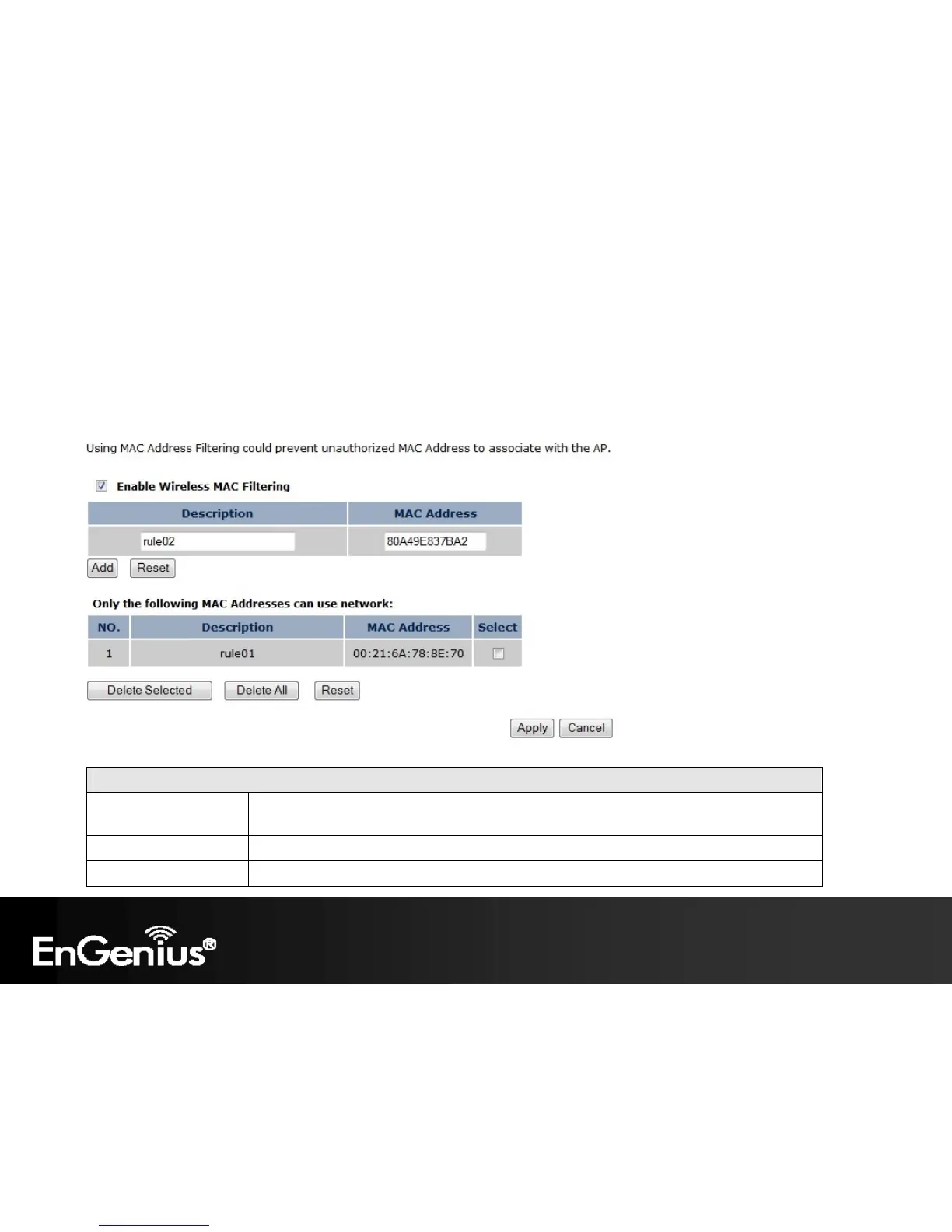
The Filter option in the Wireless menu allows users to allow clients with specific MAC Addresses to join the SSID.
Note: Only in Access Point / WDS AP / Router and Repeater mode.
Wireless MAC Filter (Access Point / WDS AP / Router / Repeater mode)
Enable Wireless Access
Control
Enable Wireless Access Control.
When Enabled, only wireless clients on the Filtering Table will be allowed.
Description Enter a name or description for this entry.
MAC Address Enter the MAC address of the wireless client that you wish to allow connection.














 To Next Page