17
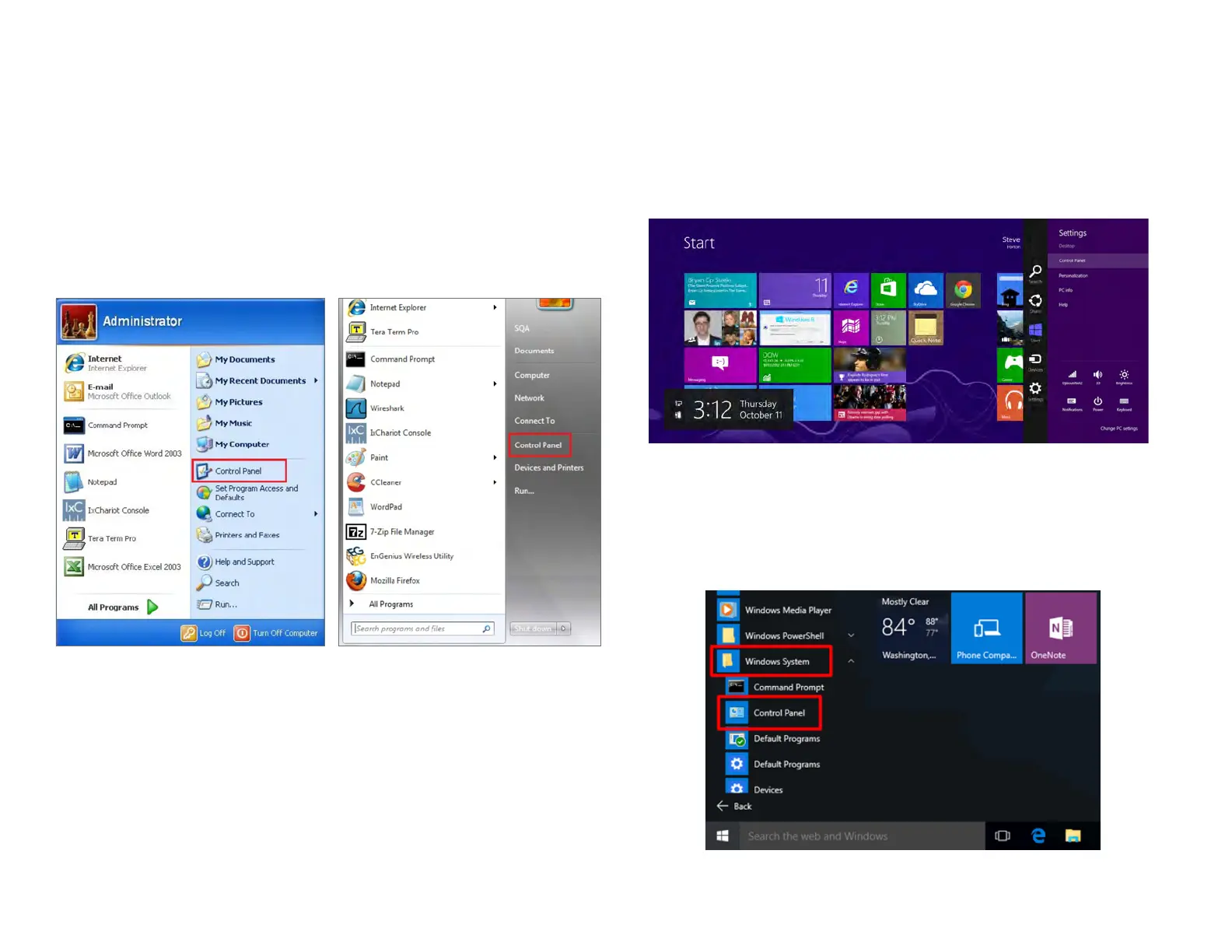
Windows XP/Windows 7/Windows 8/Windows
10
In order to use the Access Point, you must rst congure the
TCP/IPv4 connection of your Windows OS computer system.
1a. Click the Start button and open the Control Panel
1b. Move your mouse to the lower right hot corner to
display the Charms Bar and select the Control Panel in
Windows 8 OS.
1c. In Windows 10, click Start to select All APPs to enter
the folder of Windows system for selecting Control
Panel.
Computer Settings
Windows XP Windows 7
Windows 8
Windows 10



 To Next Page