45
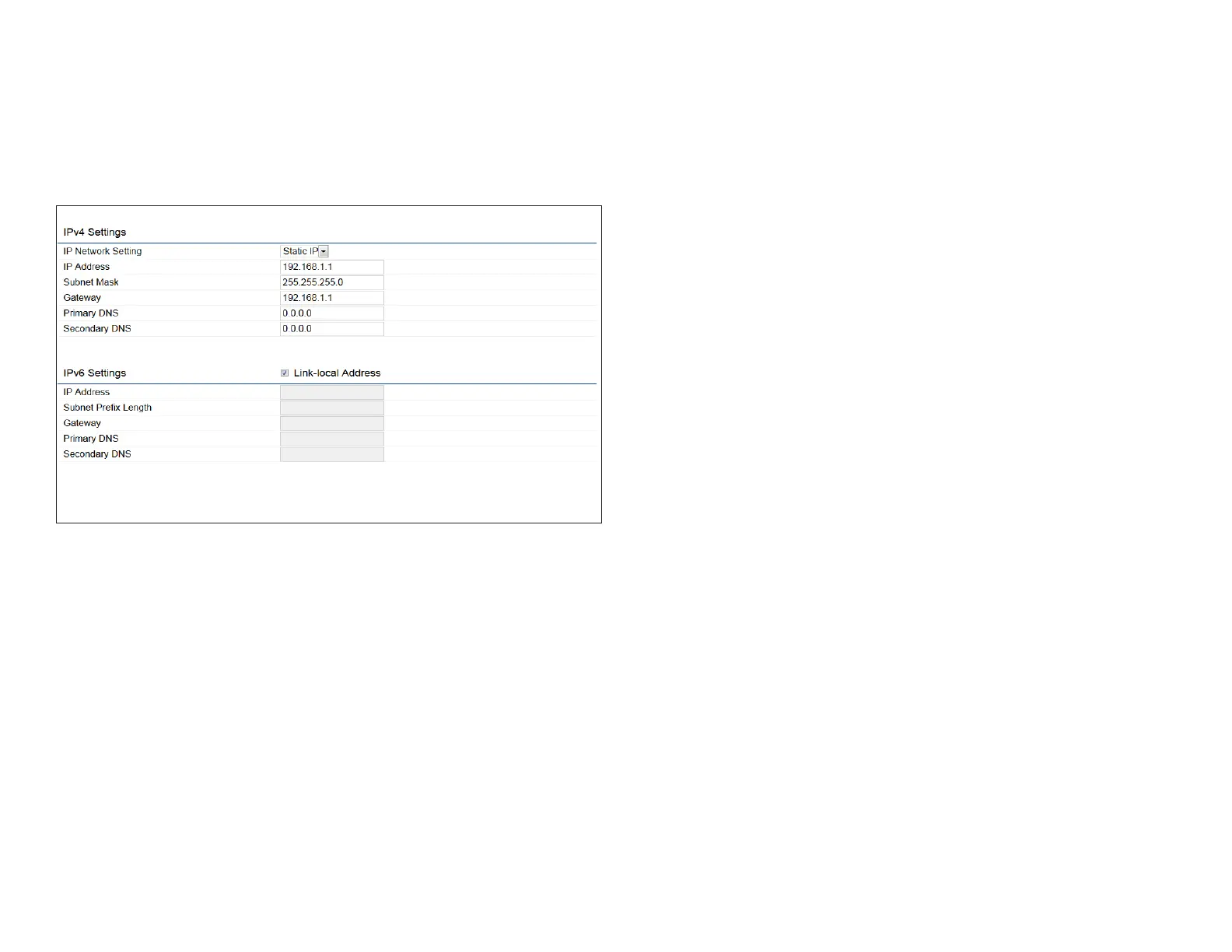
IPv4/IPv6 Settings
This page allows you to modify the device’s IP settings.
IP Network Settings: Select whether the device IP address
will use a static IP address specied in the IP address eld
or be obtained automatically when the device connects to
a DHCP server.
IP Address: The IP address of this device.
Subnet Mask: The IP Subnet mask of this device.
Gateway: The Default Gateway of this device. Leave it
blank if you are unsure of this setting.
Primary/Secondary DNS: The primary/secondary DNS
address for this device.
Save: Click Save to conrm the changes.
Basic IP Settings



 To Next Page