70
This page allows you to change the AP username and
password. By default, the username is: admin and the
password is: admin. The password can contain from 0 to
12 alphanumeric characters and is case sensitive.
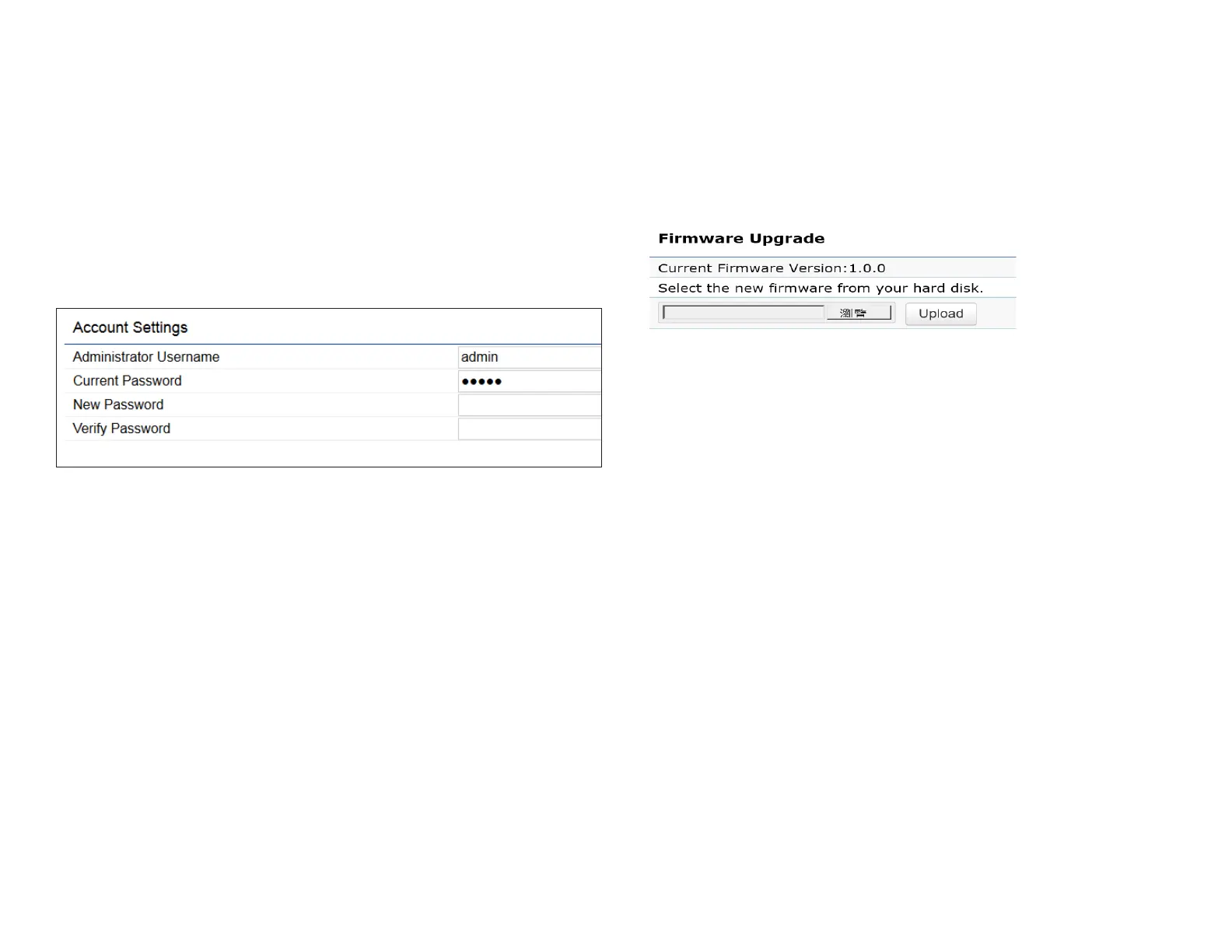
Account Settings
Administrator Username: Enter a new username for
logging in to the New Name entry box.
Current Password: Enter the old password for logging in
to the Old Password entry box.
New Password: Enter the new password for logging in to
the New Password entry box.
Verify Password: Re-enter the new password in the
Conrm Password entry box for conrmation.
Apply: Click Apply to apply the changes.
Firmware Upgrade
This page allows you to upgrade the firmware of the
AP.
To Perform the Firmware Upgrade:
1. Click the Choose File button and navigate the OS le
system to the location of the upgrade le.
2. Select the upgrade le. The name of the le will appear
in the Upgrade File eld.
3. Click the Upload button to commence the rmware
upgrade.
Note: The device is unavailable during the Firmware
upgrade process and must restart when the upgrade is
completed. Any connections to or through the device
will be lost.
Account
Firmware



 To Next Page