27
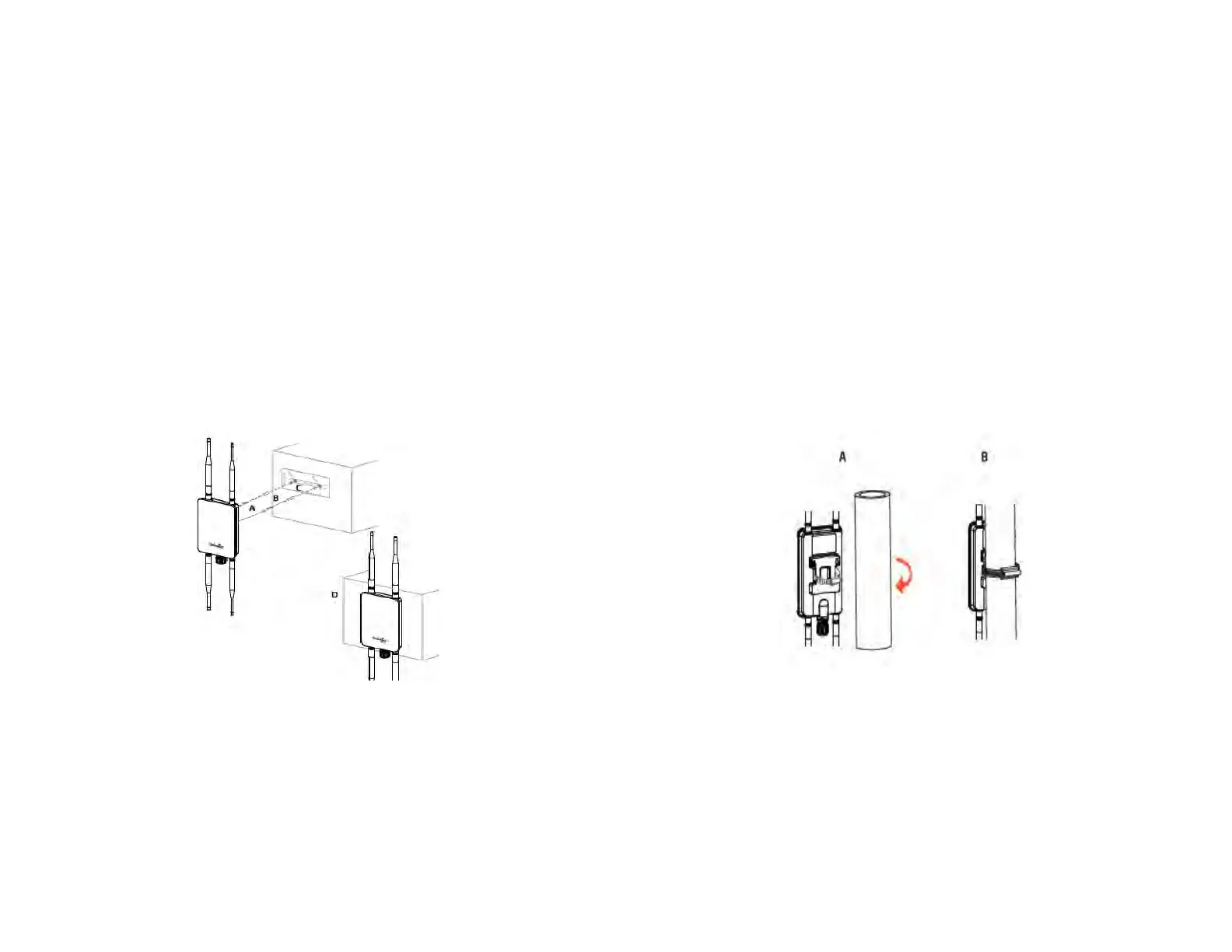
To attach the ENH1350EXT to a wall using wall
mounting kit.
A. Determine where the Access Point to be placed and
stick the Adhesive label on the surface.
B.
Use the appropriate drill bit to drill two 8.1mm
diagram and 26mm depth holes on the markings of the
label.C. Remove the label and screw the anchors unto
the holes until they are ush with the wall.
D.
Screw the included screws into the anchors. Place the
Access Point against wall with the mounting screw heads.
To attach the ENH1350EXT to a pole using the
provided pole mounting kit:
A. Thread the open end of the Pole Strap through the two
tabs on the Pole Mount Bracket.
B.Lock and tighten Pole Strap to secure Pole Mount Bracket
to the pole.



 To Next Page