51
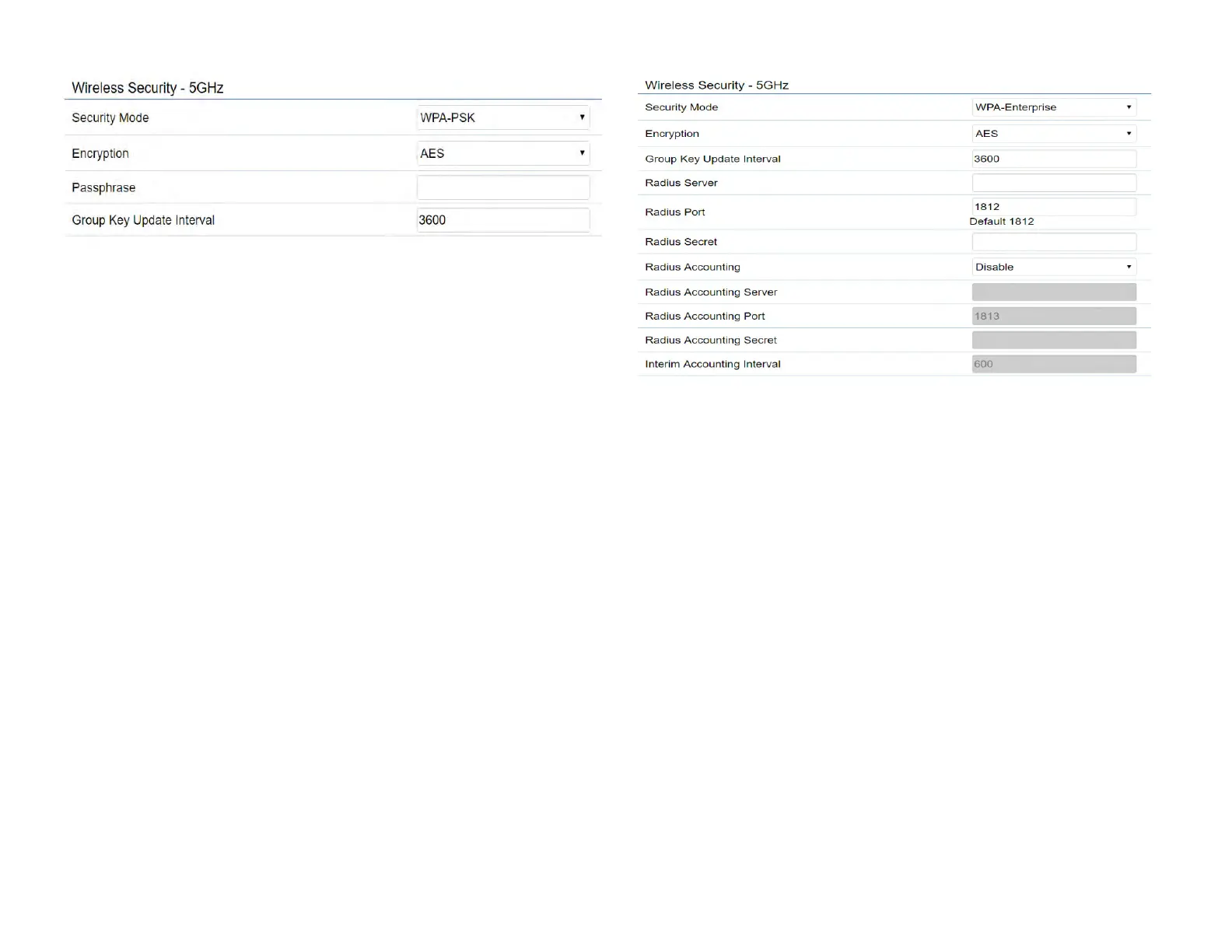
* Setting of WPA2-PSK:
Encryption: You may select AES, TKIP or Both (TKIP+AES)
to be the encryption type you would like. Please ensure
that your wireless clients use the same settings.
Passphrase: Wireless clients must use the same Key to
associate the device. If using ASCII format, the Key must
be from 8 to 63 characters in length. If using HEX format,
the Key must be 64 HEX characters in length.
Group Key Update Interval: Species how often, in
seconds, the Group Key changes. The default value is 3600.
*
* Setting of WPA2-Enterprise (Pre-Shared Key):
Encryption: Select the WPA2 Enterprise. Please ensure that
your wireless clients use the same settings.
Radius Server: Enter the IP address of the Radius server.
Radius Port: Enter the port number used for connections
to the Radius server.



 To Next Page