12
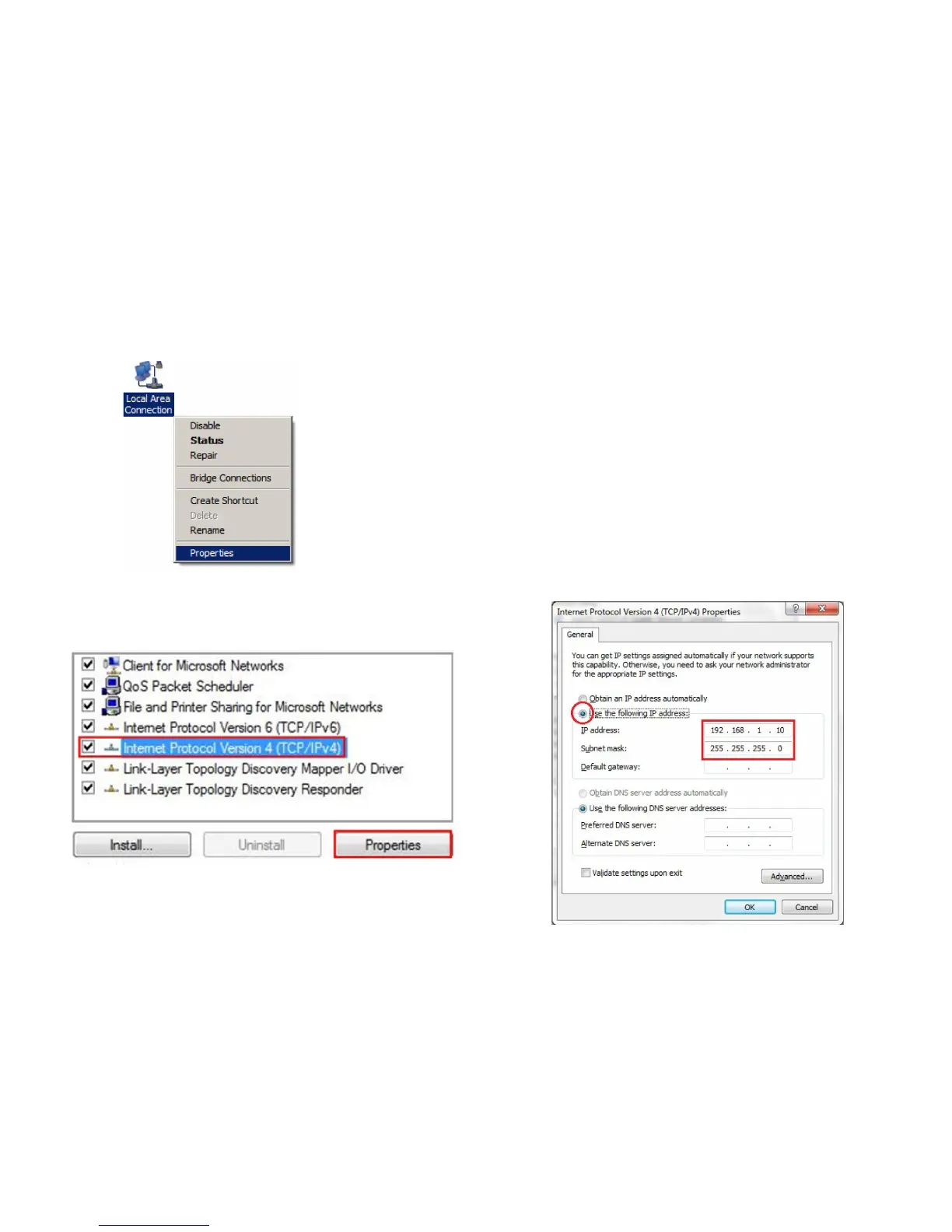
3. Right click on Local Area Connection and select Properties.
4. Select Internet Protocol Version 4 (TCP/IPv4) and then
select Properties.
5. Select Use the following IP address and enter an IP
address that is different from the ENH220EXTand Subnet
mask, then click OK.
Note: Ensure that the IP address and Subnet mask are
on the same subnet as the device.
For example: ENH220EXT IP address: 192.168.1.1
PC IP address: 192.168.1.2 – 192.168.1.255
PC Subnet mask: 255.255.255.0



 To Next Page