11
Windows XP/Windows 7/Windows 8
InordertousetheENH220EXT,youmustrstcongurethe
TCP/IPv4 connection of your Windows OS computer system.
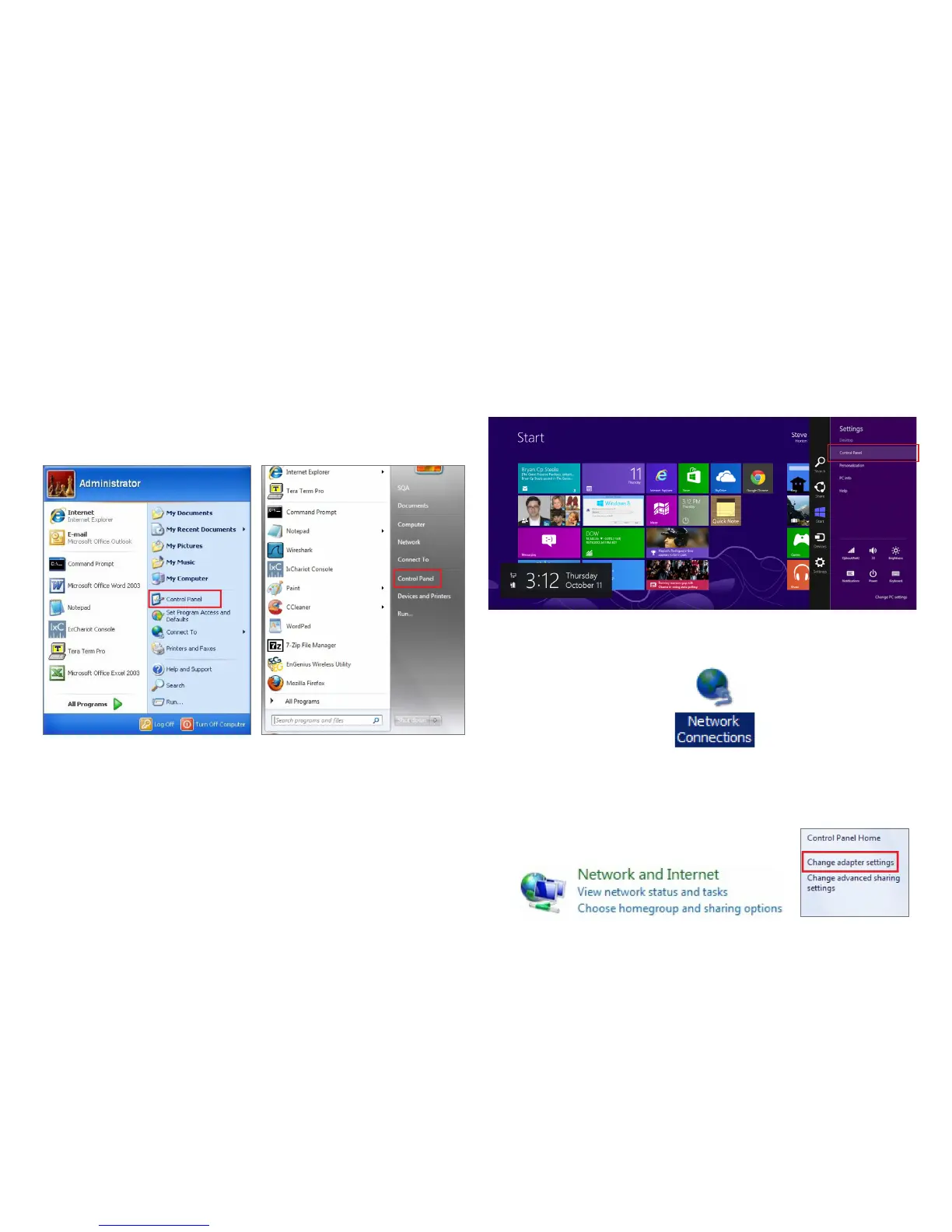
1a. Click the Start button and open the Control Panel.
1b. Move your mouse to the lower right hot corner to
display the Charms Bar and select the Control Panel in
Windows 8 OS.
2a. In Windows XP, click Network Connections.
2b. In Windows 7/Windows 8, click View Network Status
and Tasks in the Network and Internet section, then
select Change adapter settings.
Computer Settings
Windows XP Windows 7



 To Next Page