49
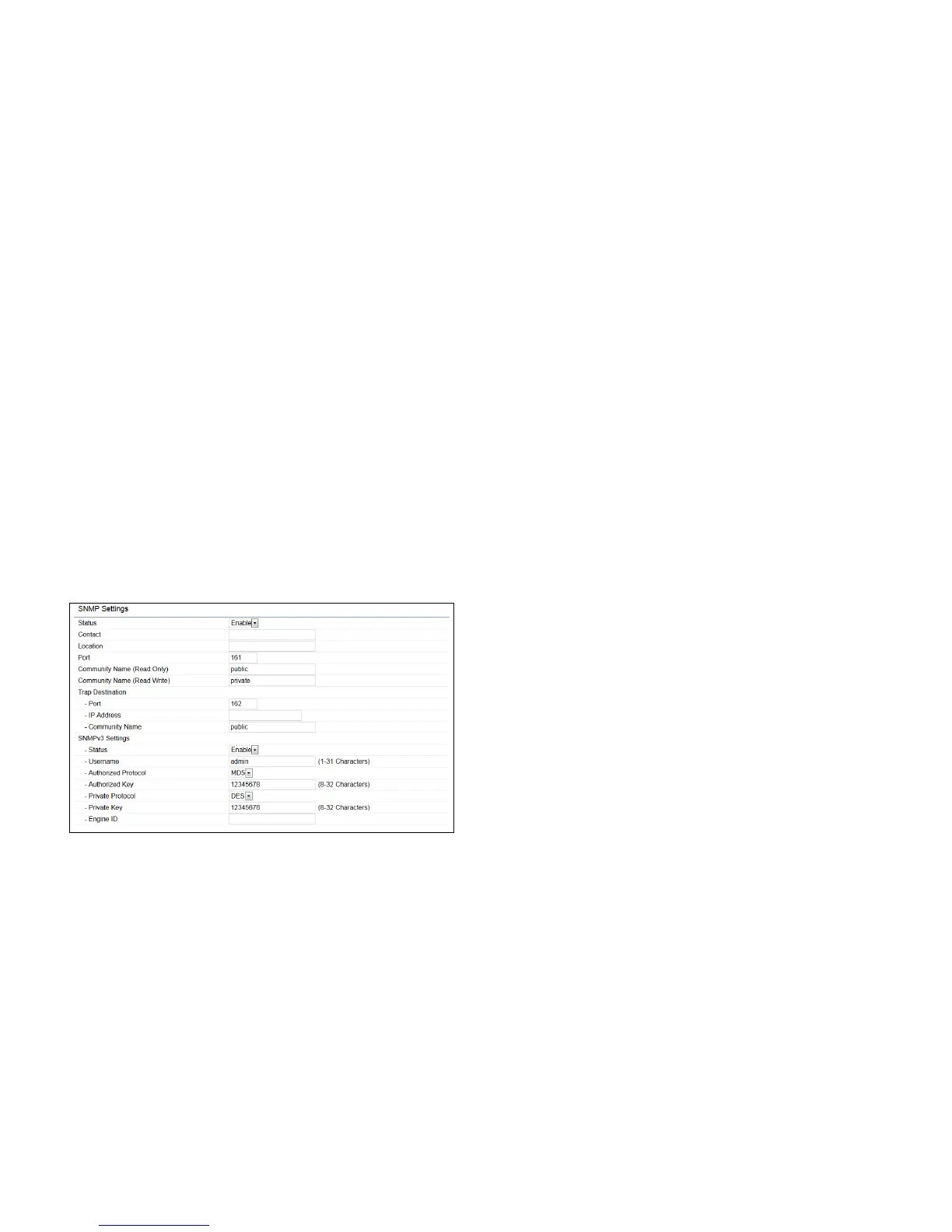
SNMP Settings
This page allows you to assign the Contact Details, Location,
Community Name, and Trap Settings for a Simple Network
Management Protocol (SNMP). SNMP is a networking
management protocol used to monitor network attached
devices.SNMPallowsmessages(calledprotocoldataunits)
to be sent to various parts of the network. Upon receiving
these messages, SNMP compatible devices (called agents)
returns the data stored in their Management Information
Bases.
SNMP Enable/Disable: Enables or disables the SNMP
feature.
Contact: Speciesthecontactdetailsofthedevice.
Location: Speciesthelocationofthedevice.
Community Name (Read Only): Speciesthepassword
for the SNMP community for read only access.
Community Name (Read/Write):Speciesthepassword
for the SNMP community with read/write access.
Trap Destination Address:SpeciestheIPaddressofthe
computer that will receive the SNMP traps.
Trap Destination Community Name: Speciesthe
password for the SNMP trap community.
SNMPv3: Enables or disables the SNMPv3 feature.
User Name:SpeciestheusernameforSNMPv3.
Auth Protocol: Selects the authentication protocol type:
MDS or SHA.
Auth Key: Speciestheauthenticationkey.
Priv Protocol: Selects the privacy protocol type: DES.
Priv Key: Speciestheprivacykeyforprivacy.
Engine ID: SpeciestheengineIDforSNMPv3.
Apply Save: Click Apply Save to apply the changes.
Advanced Settings



 To Next Page