39
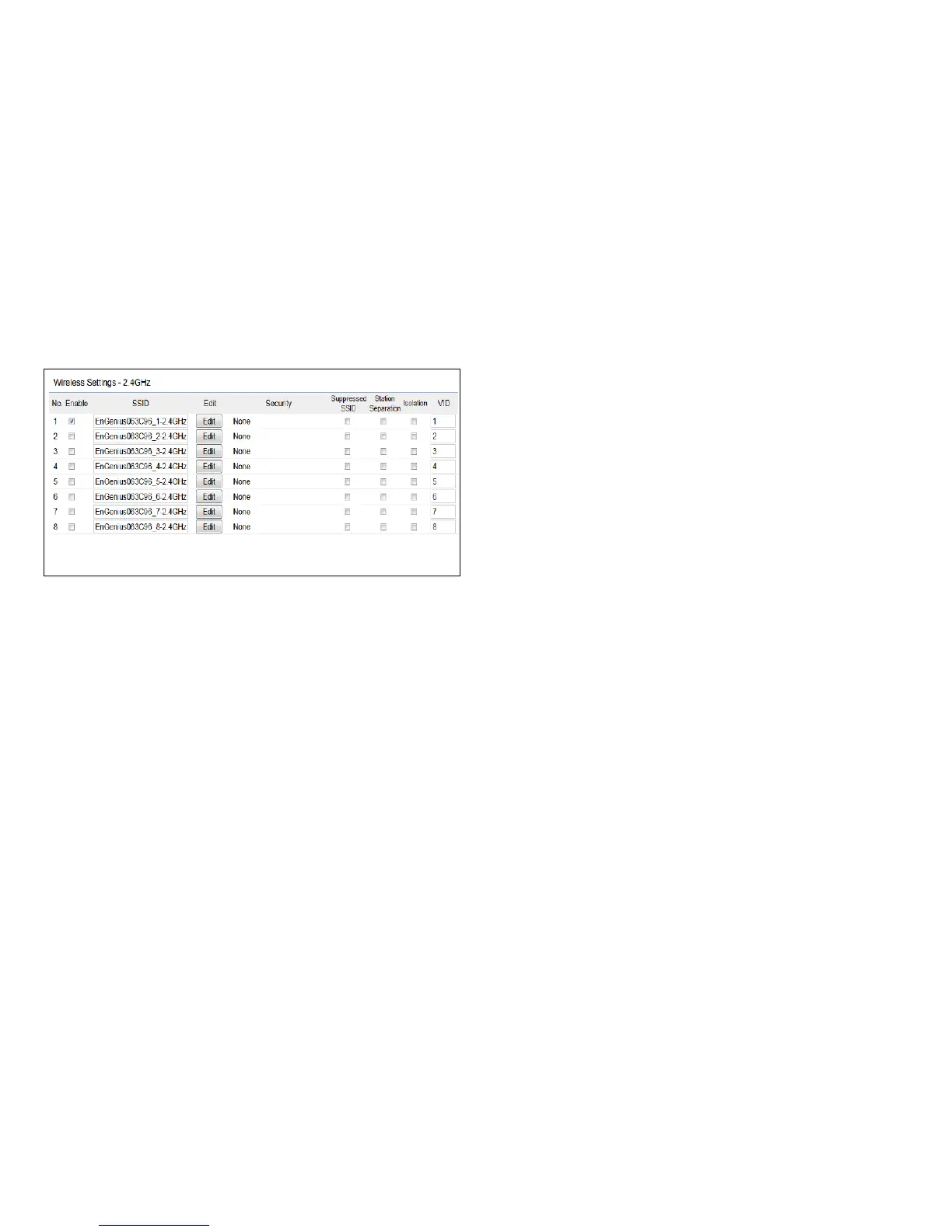
2.4 GHz SSID Prole
Current Prole:Youcancongureuptoeight(8)different
SSIDs(eight(8)perband).Ifmultipleclientdeviceswillbe
accessing the network, you can arrange the devices into
SSID groups. Click Edittoconguretheproleandcheck
whether you want to enable extra SSID.
SSID:SpeciestheSSIDforthecurrentprole.
Suppressed SSID: Check this option to hide the SSID from
clients. If checked, the SSID will not appear in the site survey.
Station Separation: Click the appropriate radio button to
allow or prevent communication between client devices.
VID:SpeciestheVLANtagforeachprole.Ifyournetowrk
includes VLANs, you can specify a VLAN ID for packets pass
through the Access Point with a tag.
Wireless Security: See the Wireless Security section.
Isolation: Restrict clients communicating with different
VIDs by selecting the radio button.
Save: Click Save to accept the changes.



 To Next Page