OPERATION
Blanket Warmer ▪ Oper a tor’s Ma nu al ▪ M N- 46 4 2 7 ▪ Rev 1 ▪ 6/19
24
How to Turn On and Turn Off the Warmer
Before you begin The warmer must be connected to electric power.
Turning on the
warmer
To turn on the warmer, do the following.
Step Action
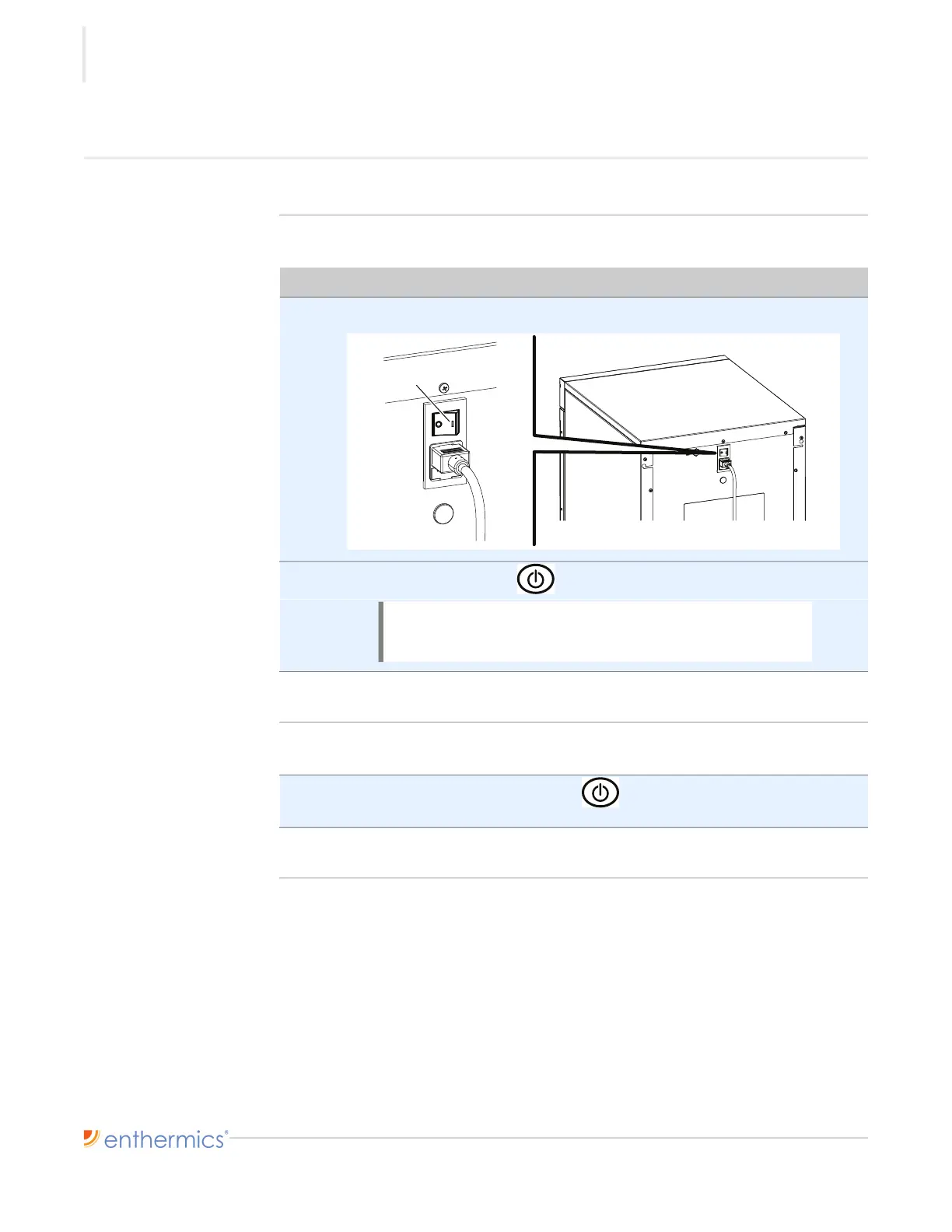
1. Set the power switch a to the ON (l) position.
2. Press the ON/OFF button . The screen turns on.
The warmer is now on.
Turning off the
warmer
To turn off the warmer, do the following.
3. Press and hold the ON/OFF button until the screen turns off, then
release the button.
The warmer is now off.
NOTE: A temporary odor may be noticeable upon initial
start-up of the warmer. Contact the manufacturer if the
odor persists after a day or more of continuous use.



 To Next Page