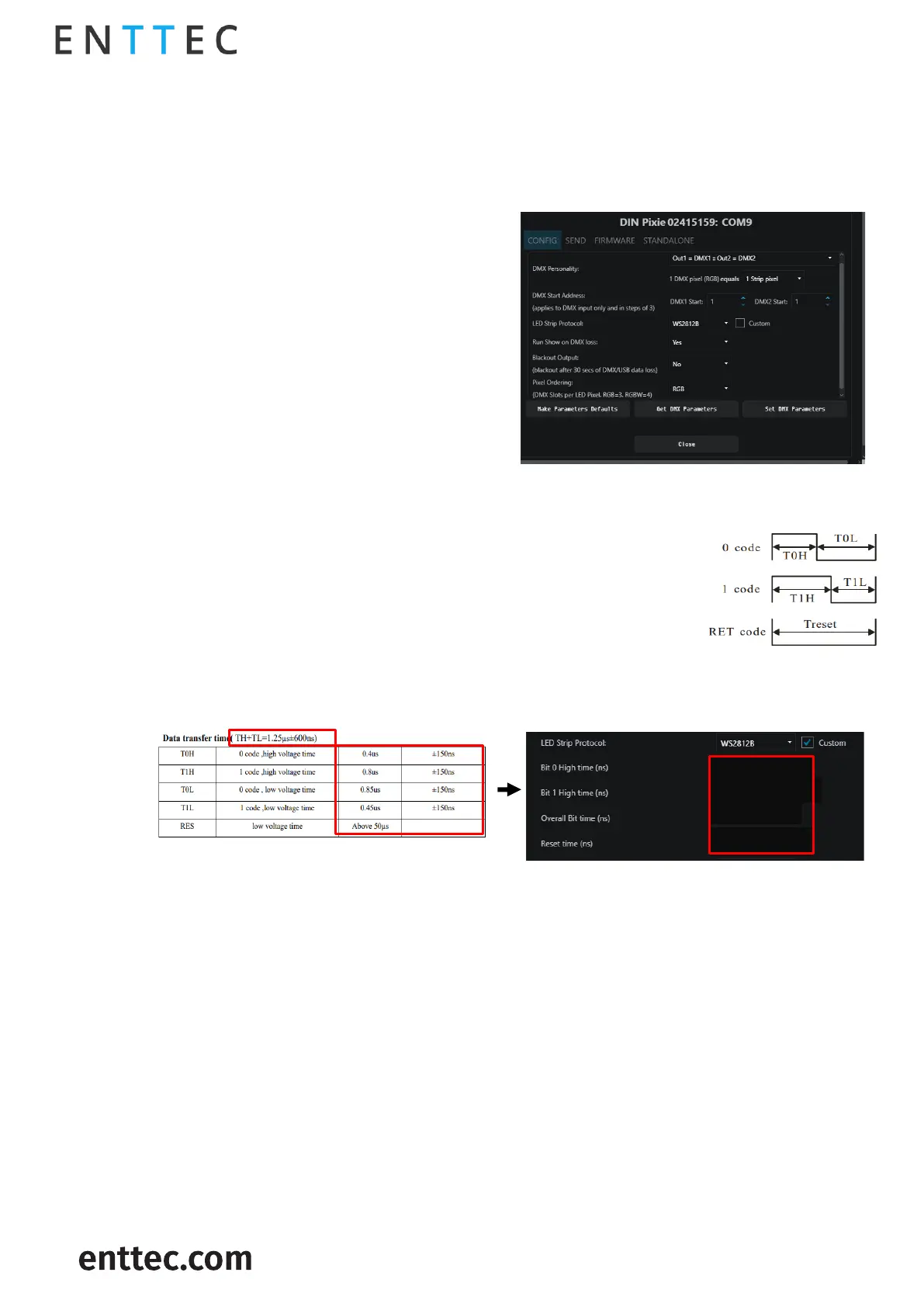
Offset the DMX start address. The increments are based on Pixel type.
▪ RGB-8bit increments of 3, allowed value up to 510.
▪ RGBW-8bit increments of 4, allowed value to 509.
▪ RGB-16bit increments of 6, allowed value up to 507.
▪ RGBW-16bit increments of 8, allowed value up to 505.
User can configure how 1U
pixels are distributed among OUT1 and OUT2 when
DIN PIXIE output is set to the personalities of DMX1
or DMX2 only.
Choose the relevant
protocol to work with your Pixels (more
information on this can be found on our website).
The DIN PIXIE also features
custom voltage timing to most of the pixel
protocols by ticking ‘Custom’. The custom voltage
timing of the chosen pixel protocol can be
adjusted according to its datasheet. Visit ENTTEC
website to view the ‘Custom Protocol Creation Guide’ document if your SPI protocol is not listed.)
The adjustable custom values are:
▪ Bit 0 High Time: The voltage high time required to indicate code 0, also
known as T0H.
▪ Bit 1 High Time: The voltage high time required to indicate code 1, also
known as T1H.
▪ Overall Bit Time: The total voltage time for a single bit which can be
calculated from TH+TL.
▪ Reset Time: The total voltage low time required to reset the data
transmission between each data
: The information required from WS2812B datasheet is the Data Transfer Time as below:
If no DMX signal is received for 3 seconds, any standalone show saved on
the DIN PIXIE will be played back.
As the last values received are held on the Pixels, if no DMX or USB signal is
received for 30 seconds, the channels will be set to 0.
By default, the DIN PIXIE is set to RGB. It is recommended that you set this to your
Pixel color order. These orders are any combination of RGB and RGBW. If the programming has been
done with a different pixel order, you can use this to make the change within the DIN PIXIE, saving
having to re-program.
This will resume to default settings.
This commands EMU to send the settings to DIN PIXIE.
This will retrieve the DIN PIXIE’s current DMX settings.


 To Next Page