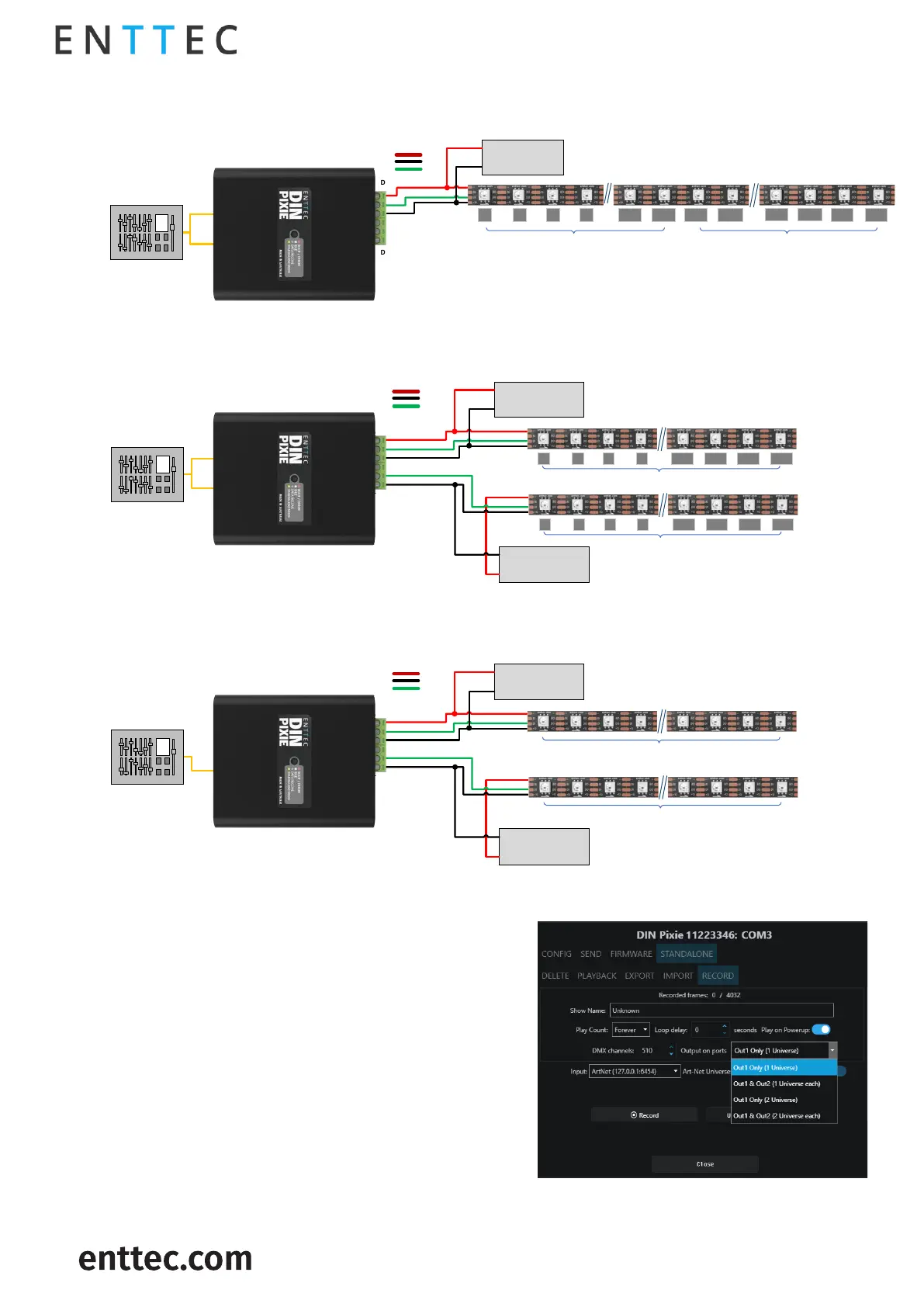
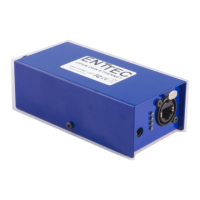
Personality 2: (OUT1 = DMX1 :: OUT2 = DMX2)
DMX source
DMX 2
DMX 1
12V DC PSU &
Protection
Personality 1: (OUT1 = DMX1, DMX2 :: OUT2 = DMX1, DMX2)
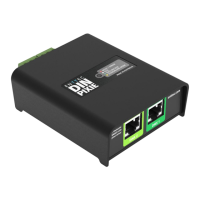
Din Pixie
(SKU:73539)
DMX Mode
VCC
0V
Data
D2
D1
DMX source
DMX 2
DMX 1
12V DC PSU &
Protection
Din Pixie
(SKU:73539)
DMX Mode
VCC
0V
Data
D2
D1
DMX 2
LED Number
12V DC PSU &
Protection
DMX 1
LED Number
1 2 3 4 167 168 169 170
RGB Pixel strip
RGB Pixel strip
1 2 3 4 169 170 171 172
337 338
339 340
LED
Number
DMX 1 DMX 2
RGB Pixel strip
1 2 3 4 167 168 169 170
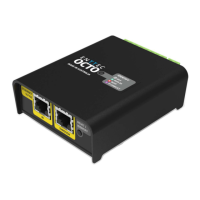
Personality 3: (OUT1,OUT2 = DMX1)
DMX source
DMX 1
12V DC PSU &
Protection
Din Pixie
(SKU:73539)
DMX Mode
VCC
0V
Data
D2
D1
Part of DMX 1
12V DC PSU &
Protection
Part of DMX 1
RGB Pixel strip
RGB Pixel strip
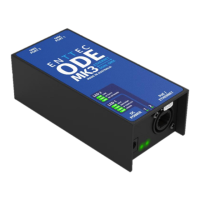
Standalone Mode
: Low – Data from the Standalone Mode will
be overridden by both USB and DMX Data.
In Standalone mode, DIN PIXIE offers consistent
playback without the need for a computer/external
controller.
The DIN PIXIE can either record a sequence from Art-
Net or import/export show files across other DIN
PIXIEs through EMU software in USB mode.
All configuration and management are handled
through ENTTEC EMU SOFTWARE. More details can be
found within Standalone this document.


 To Next Page