Send
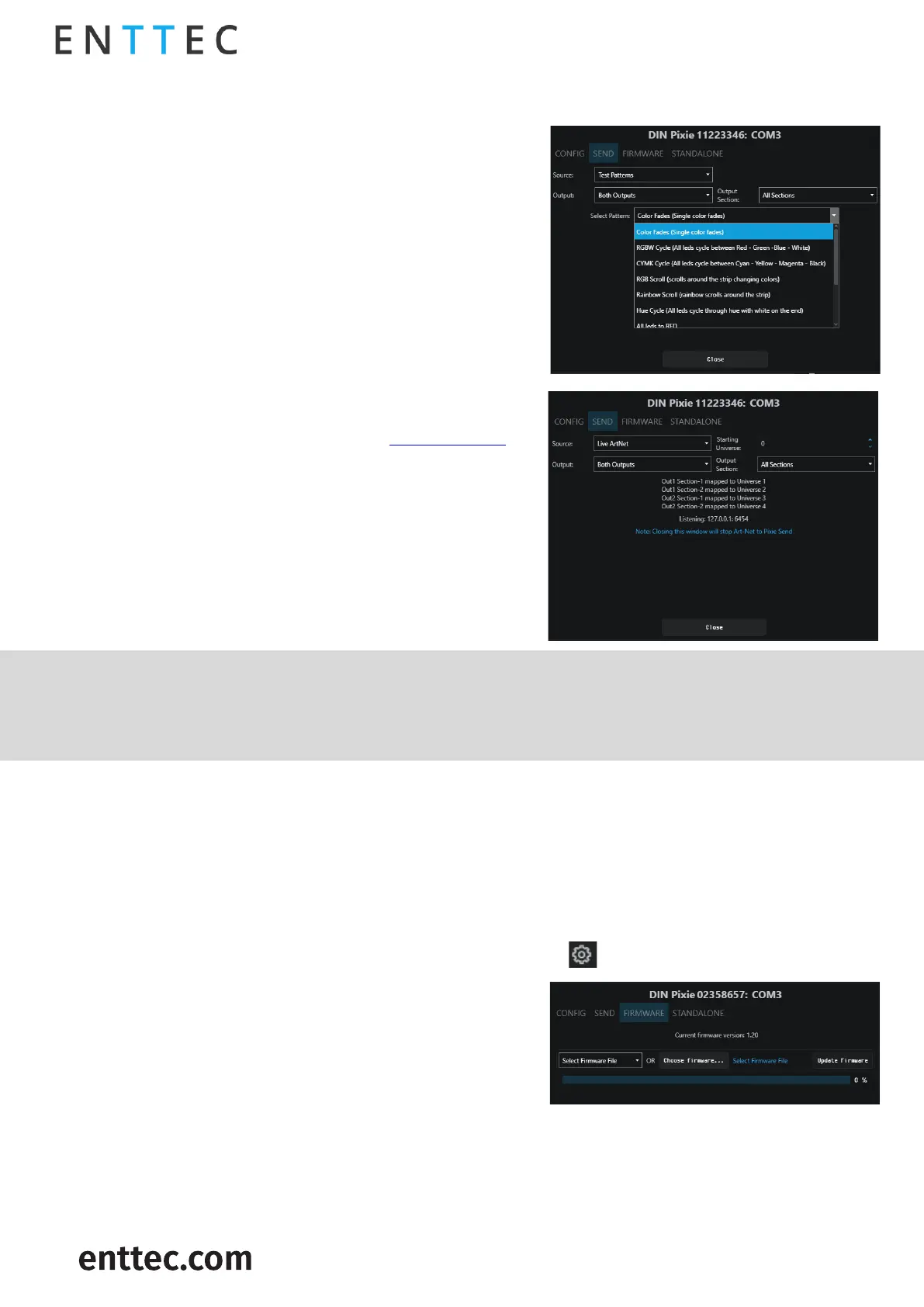
In the Send tab, user is allowed to actively send data
to the device for the purposes of design and testing.
This refers to the input data sources which can be sent
to the output in the following methods:
▪ Test Patterns: The users can select the pre-
programmed test patterns directly from the
‘Select Pattern’ drop-down list for to test the DMX
output.
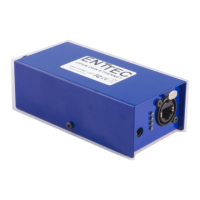
▪ Live Art-Net: choosing this option will allow DIN
PIXIE to listen for an Art-Net Broadcast through
the loopback IP address (127.0.0.1).
Alternatively, users can patch faders in EMU
software and drag the desired channels fader to
test the DMX output. (Visit ENTTEC website for
more information about EMU Software.)
In DIN PIXIE, user can select OUTPUT 1 or OUTPUT 2 as
the output destination for the output signal. The First
pixel section can control up to 170 RGB or 128 RGBW
pixels, and the Second section handles the remaining
pixels with the same capacity.
DMX Send serves as a troubleshooting tool rather than a full-fledged Lighting Control software.
After performing tests, it is important to close the EMU Software before opening your preferred
lighting control software. Please note that the DIN PIXIE can only be recognized by one software at a
time, as the software establishes a connection with the USB port exclusively.
Firmware
The Firmware update procedure can be used to:
Update to the latest feature set.
Reset DIN PIXIE if it ever gets stuck or stops responding. (Eg., Error mode).
The following steps will explain the firmware update procedure:
1. Launch the EMU Software on your computer and select from the DIN PIXIE.
2. Within Firmware Tab, user can either select the
default firmware from the drop-down list or locate
a firmware from other source by clicking ‘Choose
Firmware’.
3. After selecting the firmware file, click on the
“Update Firmware” button and let the update
proceed. Do not remove the USB cable until the update is complete. The update progress is
displayed on the page.
4. Once finishes, close the page and the firmware update is completed.
Please ensure your EMU Software is updated to the latest version.


 To Next Page