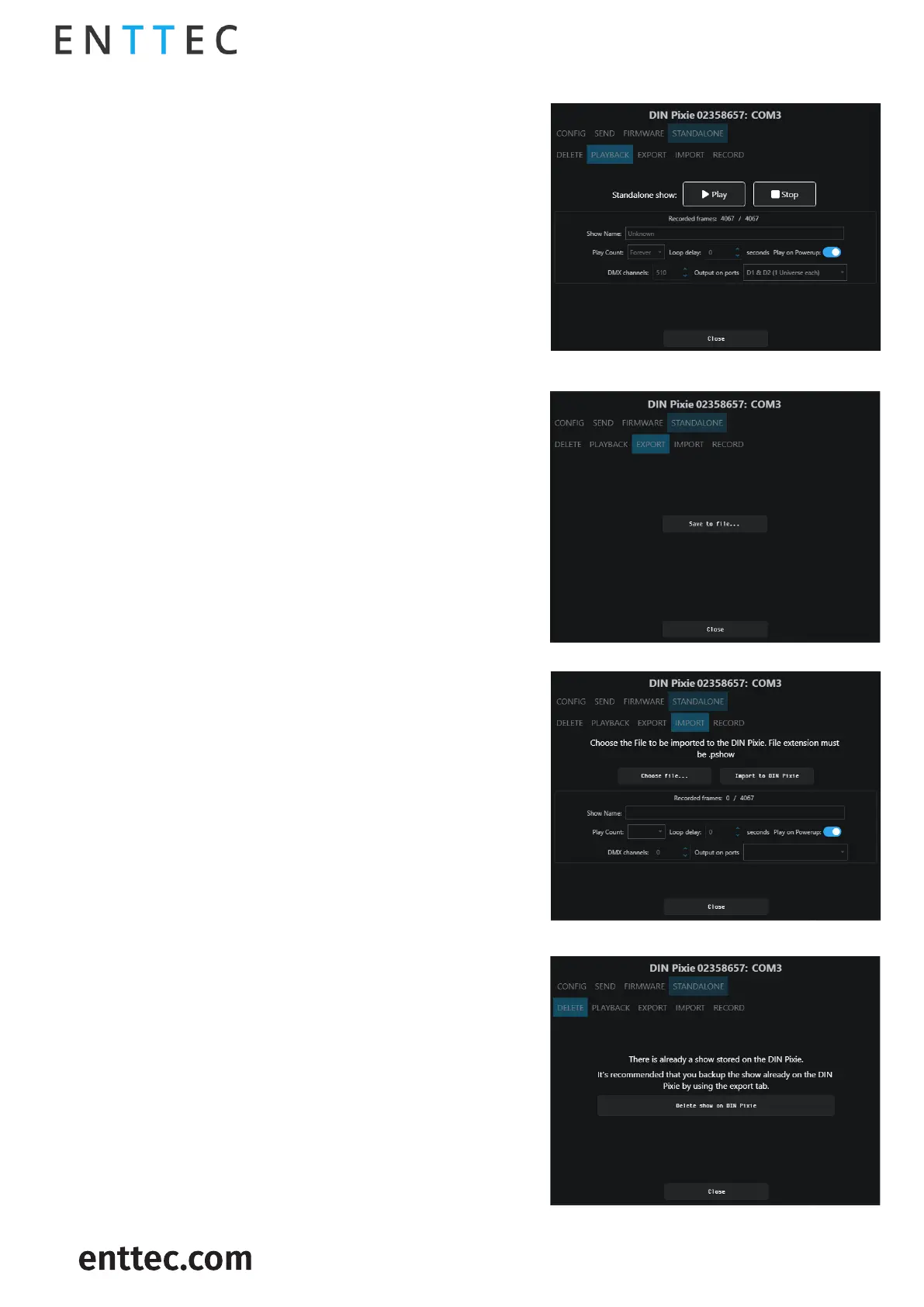
This page provides information based on the currently
recorded sequence/show, reflecting the settings
established during the recording process.
Below is a guide to the Playback control options:
Initiates playback in Standalone Mode
Stop the Standalone Mode playback
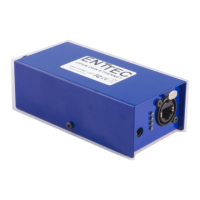
This will download the
sequence/show on the DIN PIXIE to a binary file to a
computer connected to the DIN PIXIE. This file can then
be transferred to another computer if required.
This will export the sequence/show on the DIN PIXIE
to a .pshow file on the computer connected to the DIN
PIXIE. This export/import process allows the
duplication of a show file onto multiple DIN PIXIE
devices.
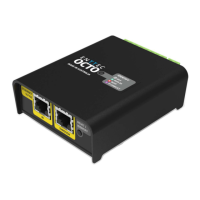
This will import the sequence/show on the DIN PIXIE
from a .pshow file on the computer connected to the
DIN PIXIE. This export/import process allows the
duplication of a show file onto multiple DIN PIXIE
devices.
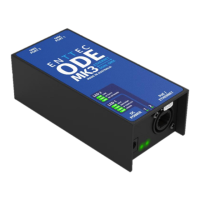
This will delete the current sequence/show from the
DIN PIXIE, ready for a new sequence/show to be
recorded. If you do not want the DIN PIXIE to generate
any output when powered up, it can be done by
erasing the pre-loaded standalone show.


 To Next Page