Operations Manual
7. CONTROL UNIT OPERATION — TYPE 1 AND
TYPE 2
Envirotainer RKN e1 Container
7.2 CONTROL UNIT OPERATION — TYPE 2
7.2.1 START THE CONTROL UNIT
1. Press
NOTE:
During the start-up of the refrigerating system the four indicators are lit for about one second to
check the function of the indicators.
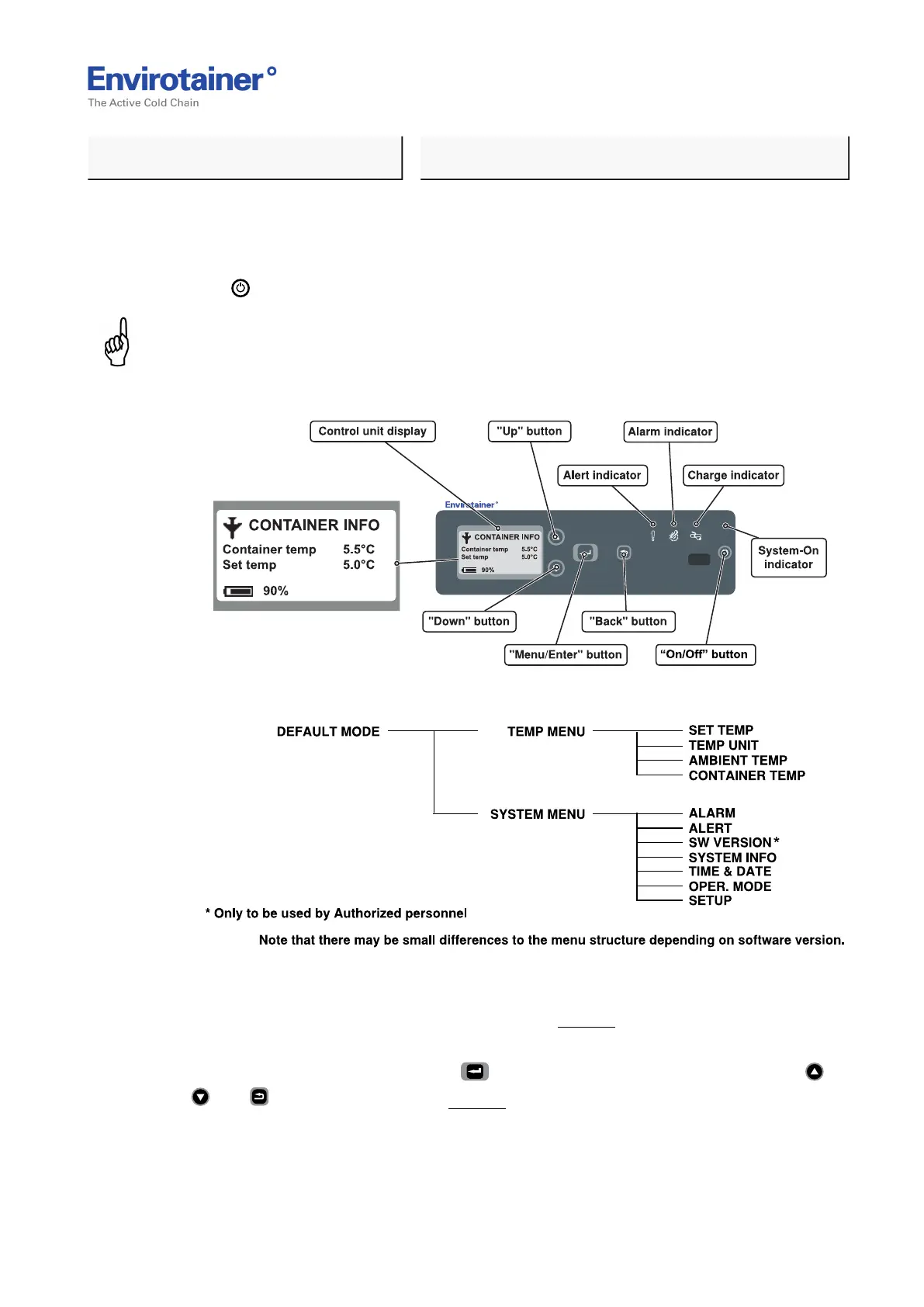
Fig. 16
Fig. 17
2. Ensure the indicators are switched off (after one second), except from the green indicator,
and that the default mode is visible on the display (Fig. 16 ).
The default mode shows "Container temp", "Set temp" and battery status.
The control unit menu is reached via and includes settings and information. Use ,
, and to navigate in the menu Fig. 17 ).
Doc No. MO-RKN-3009
Version 2.2: 2017-08-31 23 (42)



 To Next Page