Operations Manual
8. OPERATION MODES, INFOS, ALERTS AND
ALARMS
Envirotainer RKN e1 Container
8.2 INFOS
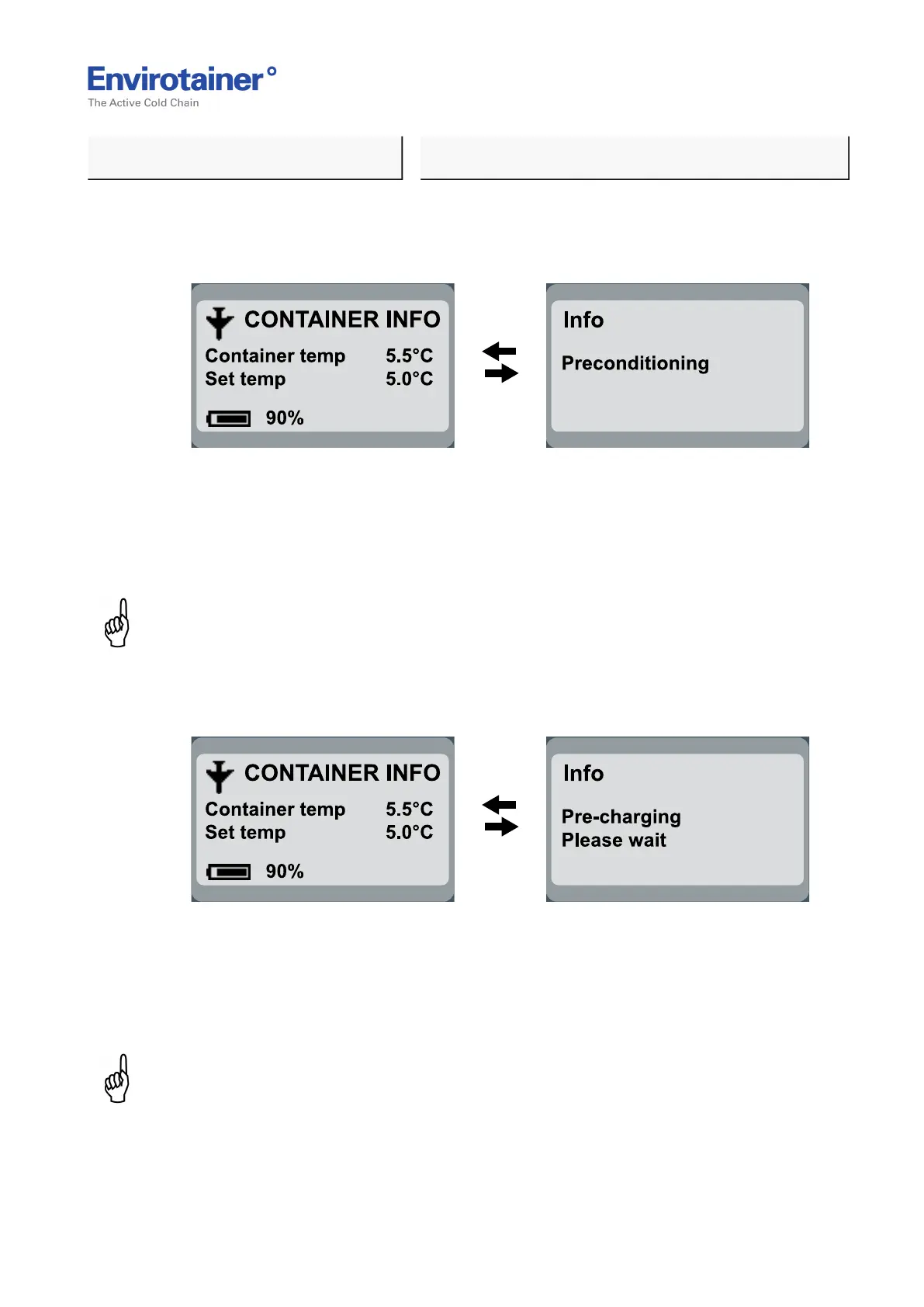
8.2.1 "INFO, PRECONDITIONING"
Fig. 21
REASON:
• Inside temperature is outside the set tolerance at start (0 to 10°C ± 3°C and
10,1 to 20°C ±5°C).
NOTE:
At start up the display will switch between showing ”Container info” and ”Info,
Preconditioning” until the set temperature has been reached.
8.2.2 "INFO, PRE-CHARGING, PLEASE WAIT"
Fig. 22
REASON:
• When the container is charged the SOC (battery percentage) is not changed during the first
hour since this is the “diagnose phase” of the charging process.
NOTE:
During the first hour the display will switch between showing ”Container info” and “Info, Pre-
charging, Please wait”.
Doc No. MO-RKN-3009
Version 2.2: 2017-08-31 29 (42)



 To Next Page