Material Settings Tab
The Material Settings Tab allows you to save and import settings for individual processes. If you frequently
use the same settings for engraving or cutting, this feature allows you to import those settings into a
single process quickly. You may follow these steps to create folders in the Job Settings tab as well.
Saving Material Settings
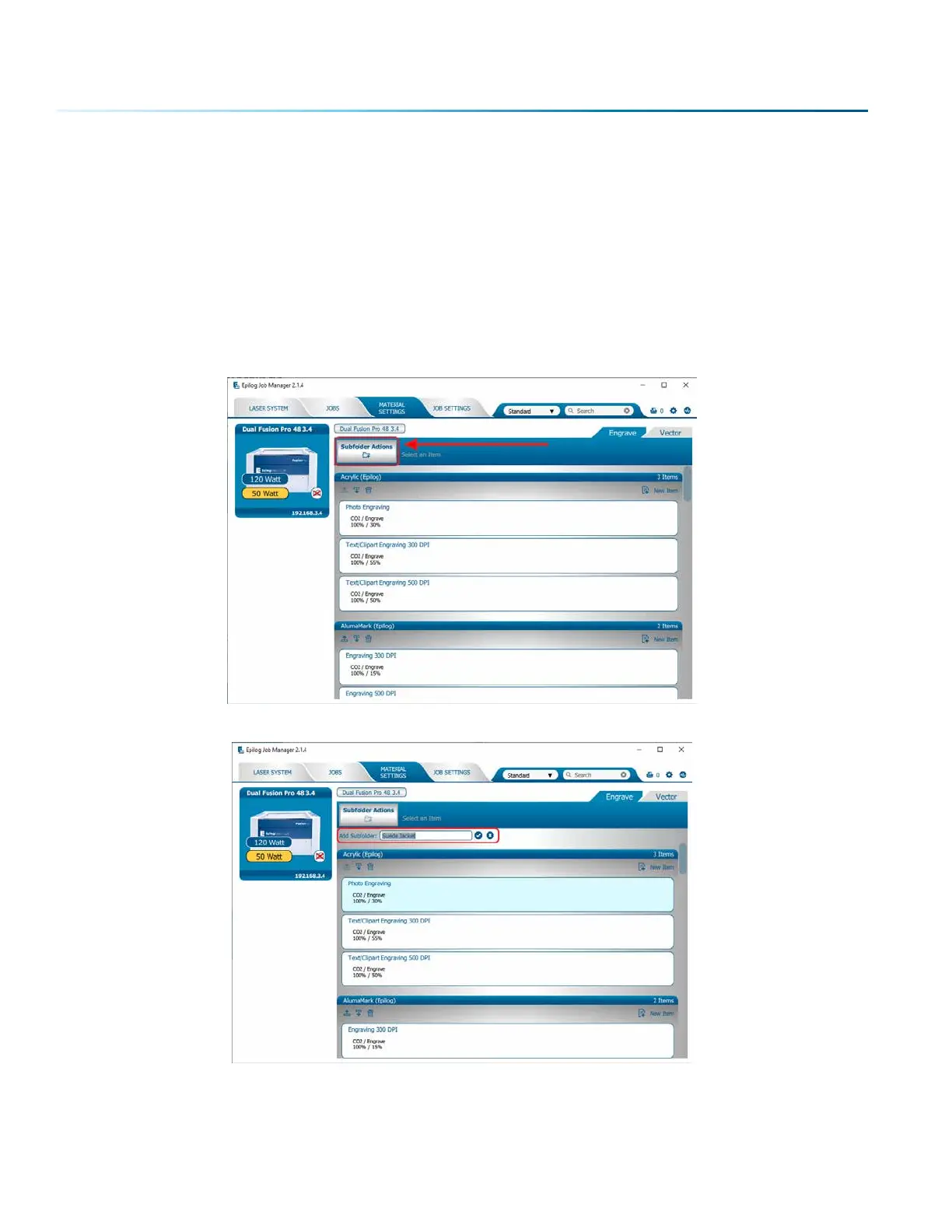
1. To save a process setting, first you need to create a folder in the Job Manager under the Material
Settings Tab by clicking the “Add Subfolder” button.
2. Name the folder and click the check mark to save it.
- 44 -
SECTION 4: THE JOB MANAGER



 To Next Page
 Loading...








