Searching for a Job
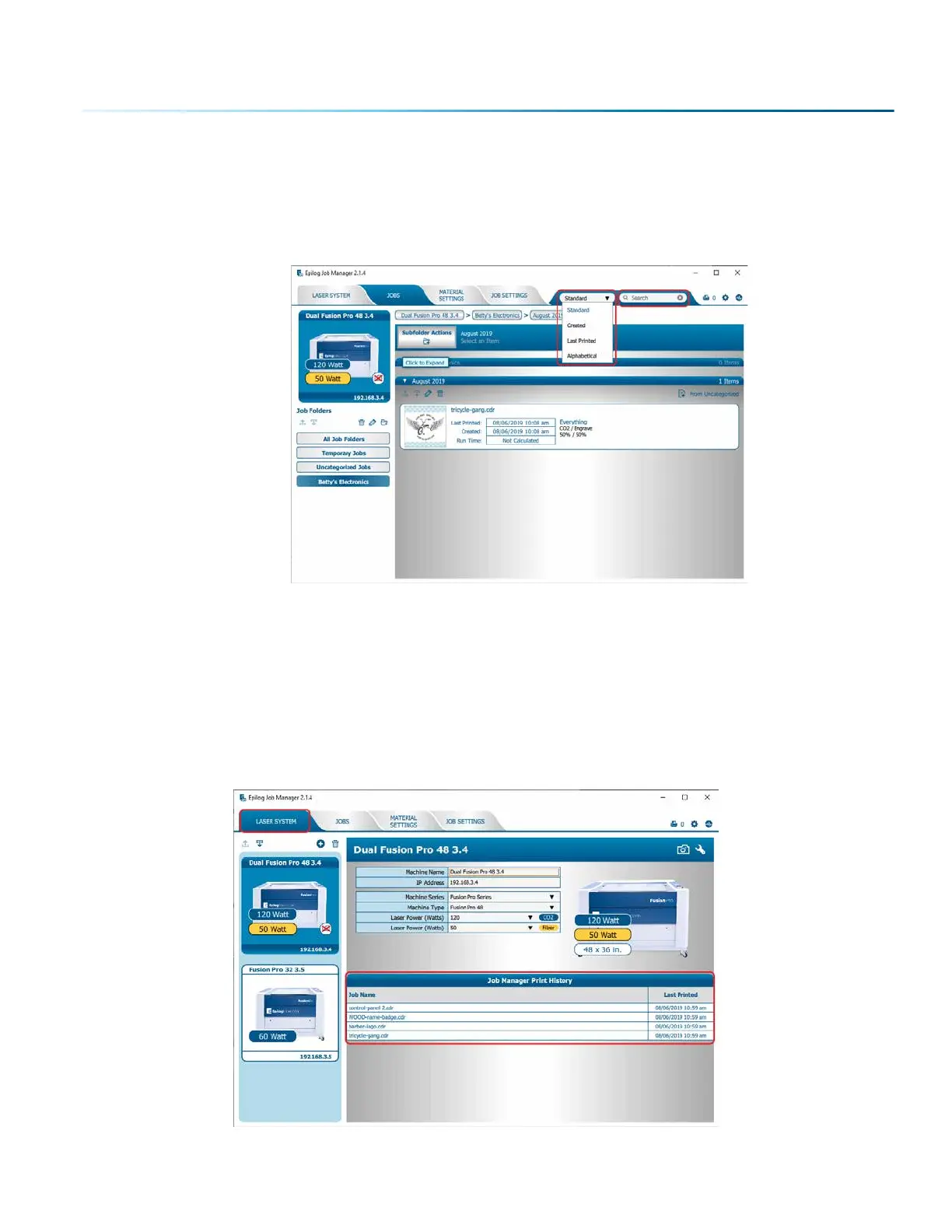
The Job Manager has a poweul search function. Type in part of a file name and press enter to find all
files related to that name. You can organize files by Standard, Created, Last Printed, or Alphabetically to
find a specific file.
Notice that the jobs are displayed dierently if you change the search category to Alphabetical. Your
jobs are now displayed in alphabetical order. Once the search is finished, most users revert back to the
default selection of Standard.
Finding Job History
You can find the Job Manager Print History under the Laser System tab to see a full print history of a
machine, including settings you used in each print. Clicking on each job will expand it and reveal its
settings. Clicking on each machine’s icon on the le will only reveal the print history on the selected
machine.
- 41 -
SECTION 4: THE JOB MANAGER



 To Next Page
 Loading...








