Front Panel Operation
FRONT PANEL OPERATION
D
ISPLAY AND
S
ETTINGS
Current measurement values (Display)
In normal mode, pushing the button
Display
switches between five different overview screens.
Main display
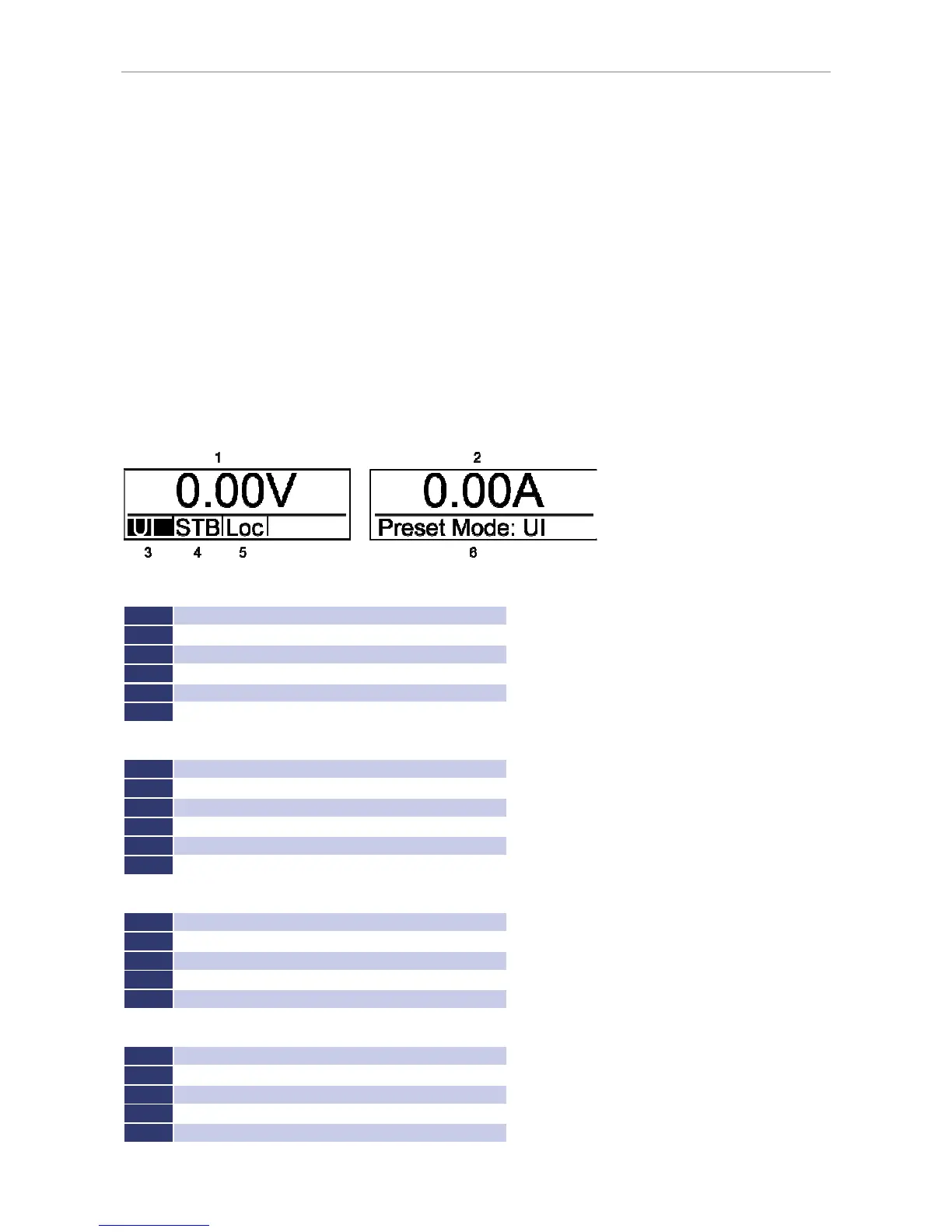
The main display shows current measure and set values. The display is divided in two separate displays. After enabling
the unit, the measured values for output voltage and putput current (position 1 and 2) are displayed. On the right
display (position 6) the actual set value (Preset V
set
) is shown. To change this value, the rotary pulse encoder
Display
must be turned. Pushing the button
Select
, toggles through the next set parameters (in UI mode it will be output
current). To open the mode select menu (left display, position 3) where different operation modes are available, the
button
Select
must be pushed again.
Selectable parameters according to operation mode:
U
Output voltage
I
Ouput current
P
Output power (UIP mode only UIP mode)
R
Internal resistance (UIR mode only UIR mode)
U
MPP voltage (PV
sim
mode only PVsim mode)
I
MPP current (PV
sim
mode only PVsim mode)
Selectable options in current control mode (left display, position 5):
Loc
Front panel operation
Scr
Memory card operation
AI
Analog interface operation
Rem
Interface operation
LLO
Interface operation , Front panel operation locked
Dis
Unit locked via interlock input (option)
Available modes for operating status of the unit (left display, position 4):
STB
Standby mode
CV
Voltage limitation mode
C
Current limitation mode
CP
Power limitation mode
OVP
Deactivation of the unit by over voltage protection
Available operation modes of the unit (left display, position 3):
UI
Voltage and current limitation
UIP
Voltage, current and power limitation
UIR
Voltage and current limitation, simulated internal resistance
Simulation of a photovoltaic characteristic
User
Simulation of a user-defined characteristic



 To Next Page