Installing an interface card
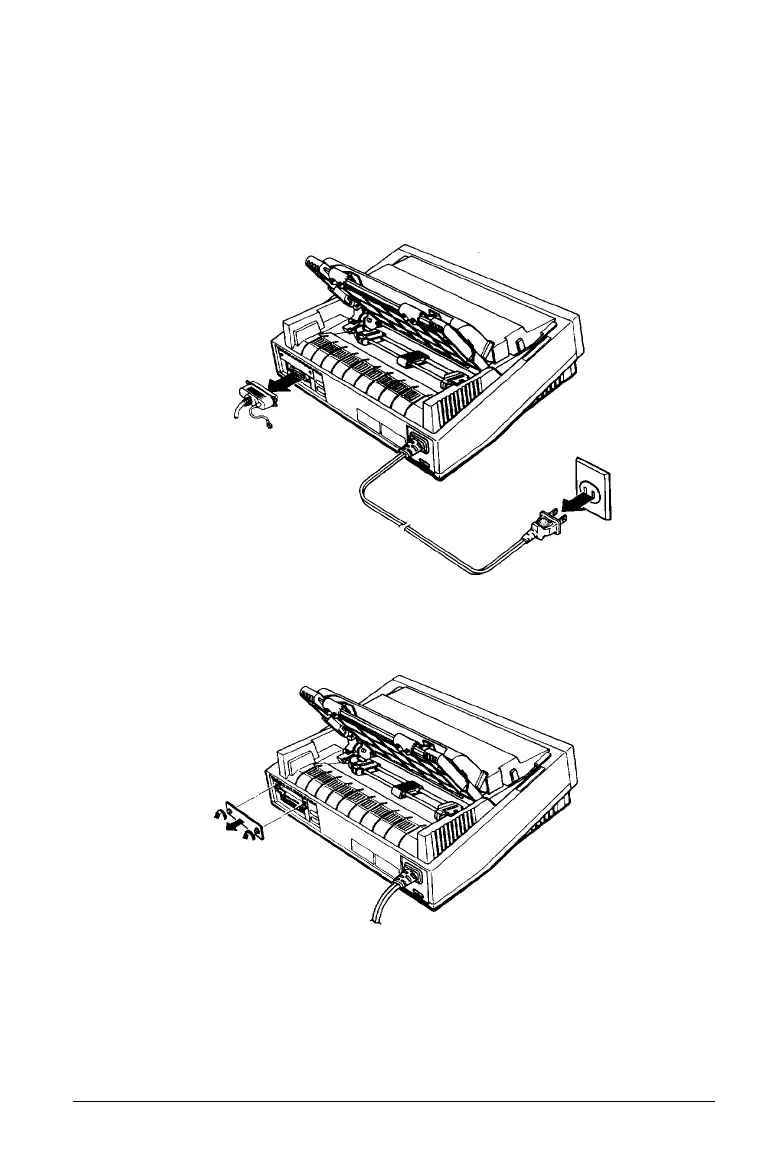
Follow the steps below to install an optional interface card.
1. Make sure the printer is turned off. Unplug the printer’s
power cord and disconnect the interface cable.
2. Remove the screws from the interface cover. Remove the
interface cover.
3. Be sure to set any switches and jumpers on the card. See the
interface card’s manual for details. Make sure that you set
jumper JG to on, or the card will not work properly.
Using Printer Options
4-17



 To Next Page