Loading continuous paper with the push tractor
1. Make sure the printer is turned off, the paper-guide cover is
resting on the printer cover, and the paper guide is
removed.
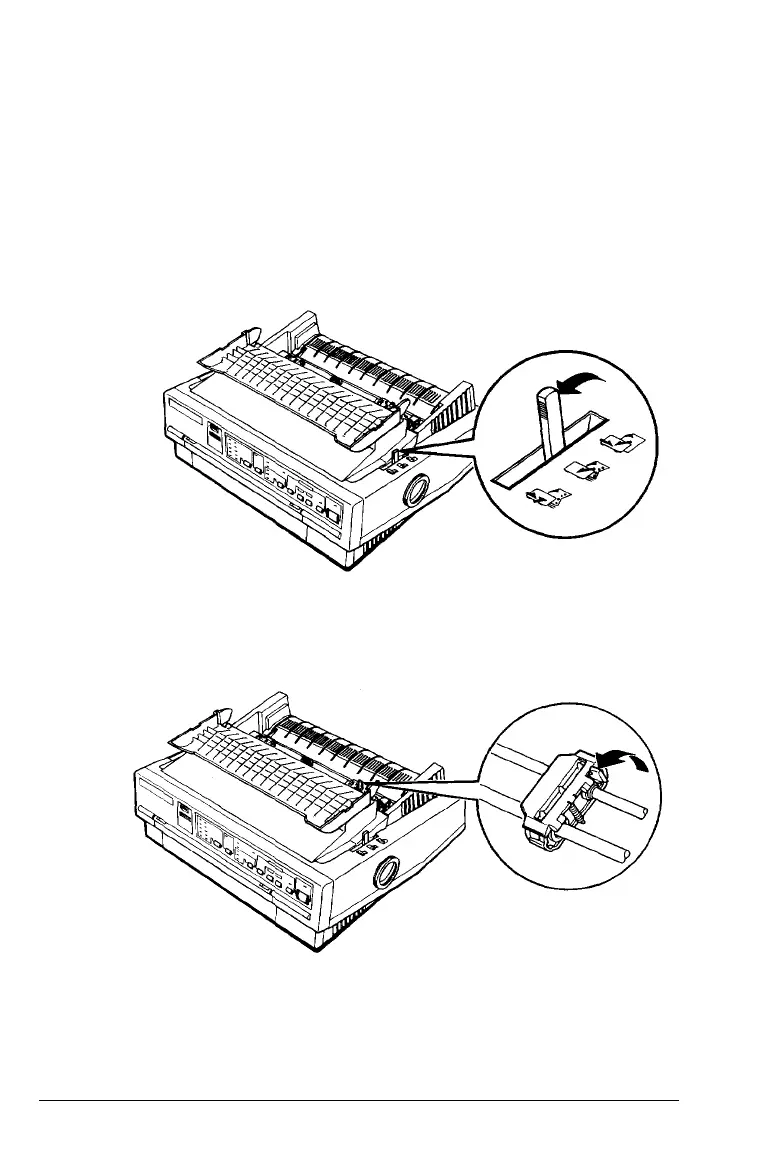
2. Make sure the tractor is in the push-tractor position and the
paper-release lever is in the push-tractor position.
3. Release the tractor’s sprocket units by pulling the sprocket
lock levers forward.
2-12 Paper Handling



 To Next Page