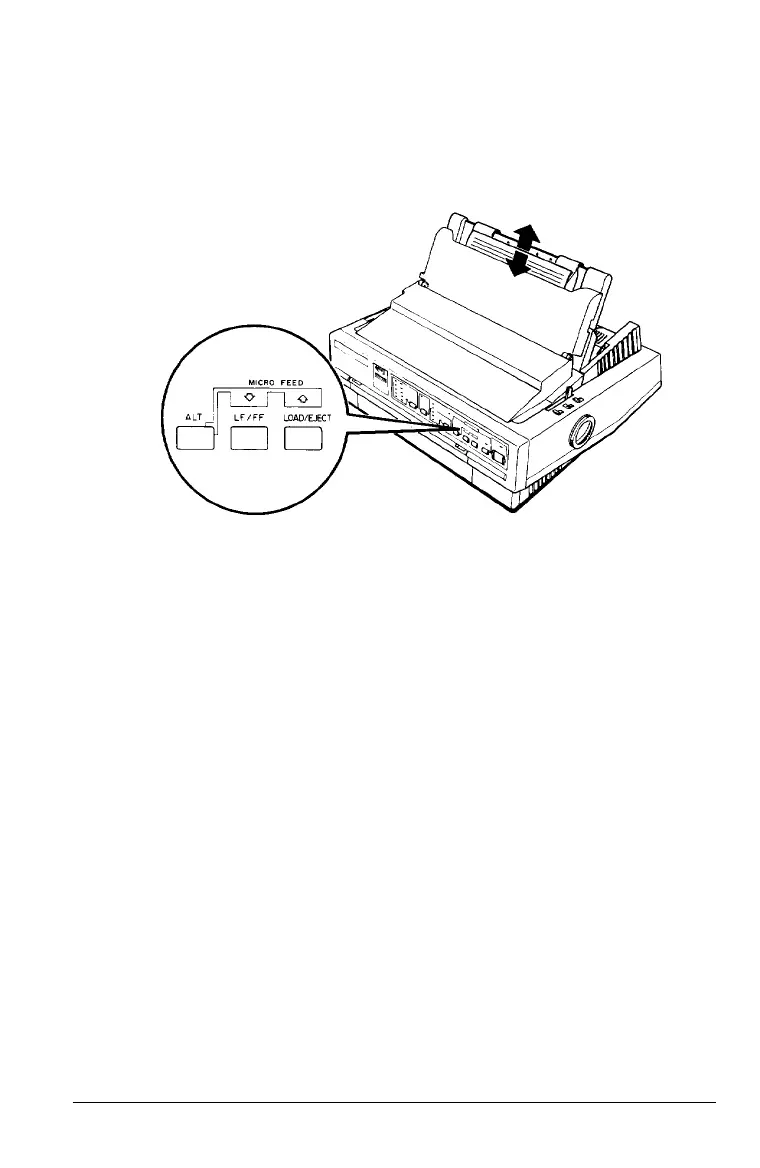
2. While holding down the ALT button, press the LOAD/EJECT
button to feed the paper forward or the
LF/FF
button to
feed the paper backward, as indicated by the arrows above
the buttons.
Adjusting the loading position
The loading position is the position of the paper after it has
been automatically loaded by the printer. If printing is too high
or low on the page, change the loading position with the
micro-feed feature as follows:
1.
Make sure the printer is turned on. If necessary, lift the
printer cover up so you can see the paper position.
2. Load either continuous or single-sheet paper. (Load
continuous paper by pressing the
LOAD/EJECT
button.)
The MULTI-PART light begins to flash.
Note:
You can adjust the loading position only while the MULTI- PART light
is flashing.
Using the Printer
3-15



 To Next Page