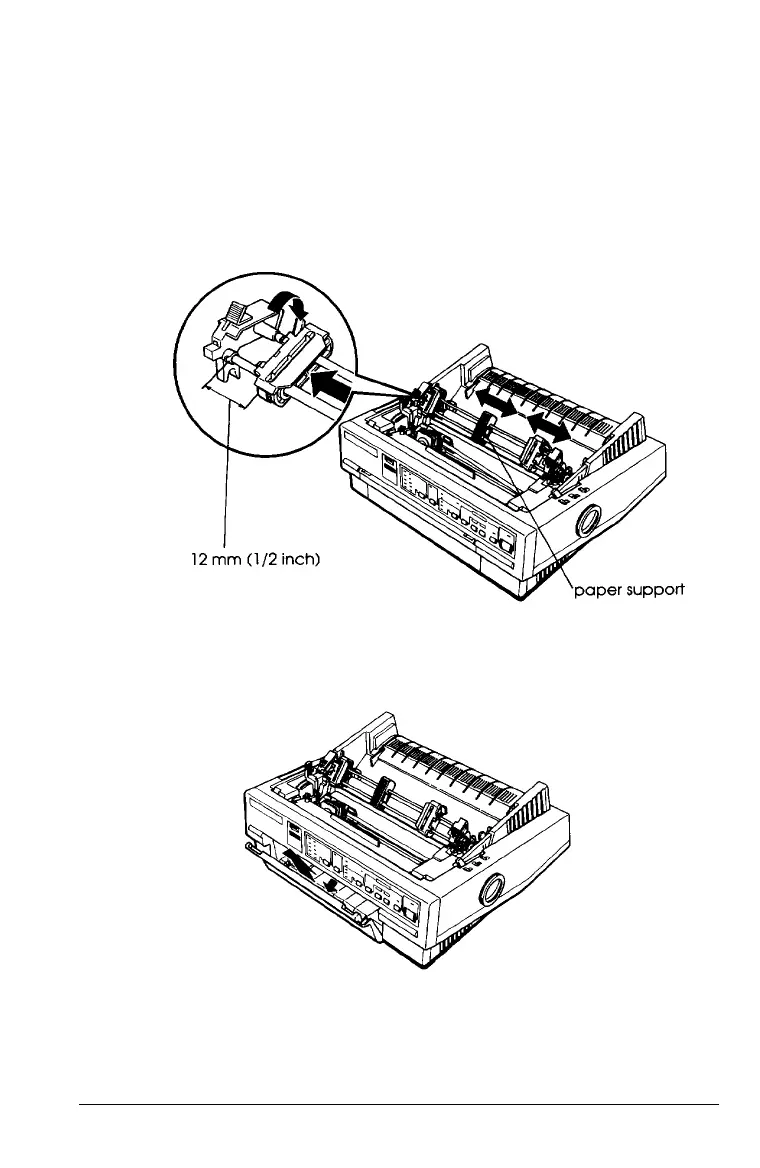
4. Slide the left sprocket unit to approximately 12 mm (½ inch)
from the far left position and push the sprocket lock lever
back to lock the sprocket unit in place. Then slide the right
sprocket unit to match the width of your paper, but do not
lock it in place. Move the paper support so it is midway
between the sprocket units.
5.
If you are inserting paper in the front paper slot, remove the
front cover and slide the edge guide completely to the left.
Paper Handling
2-17



 To Next Page