83
Troubleshooting
Checking with EPSON Total Disc Monitor
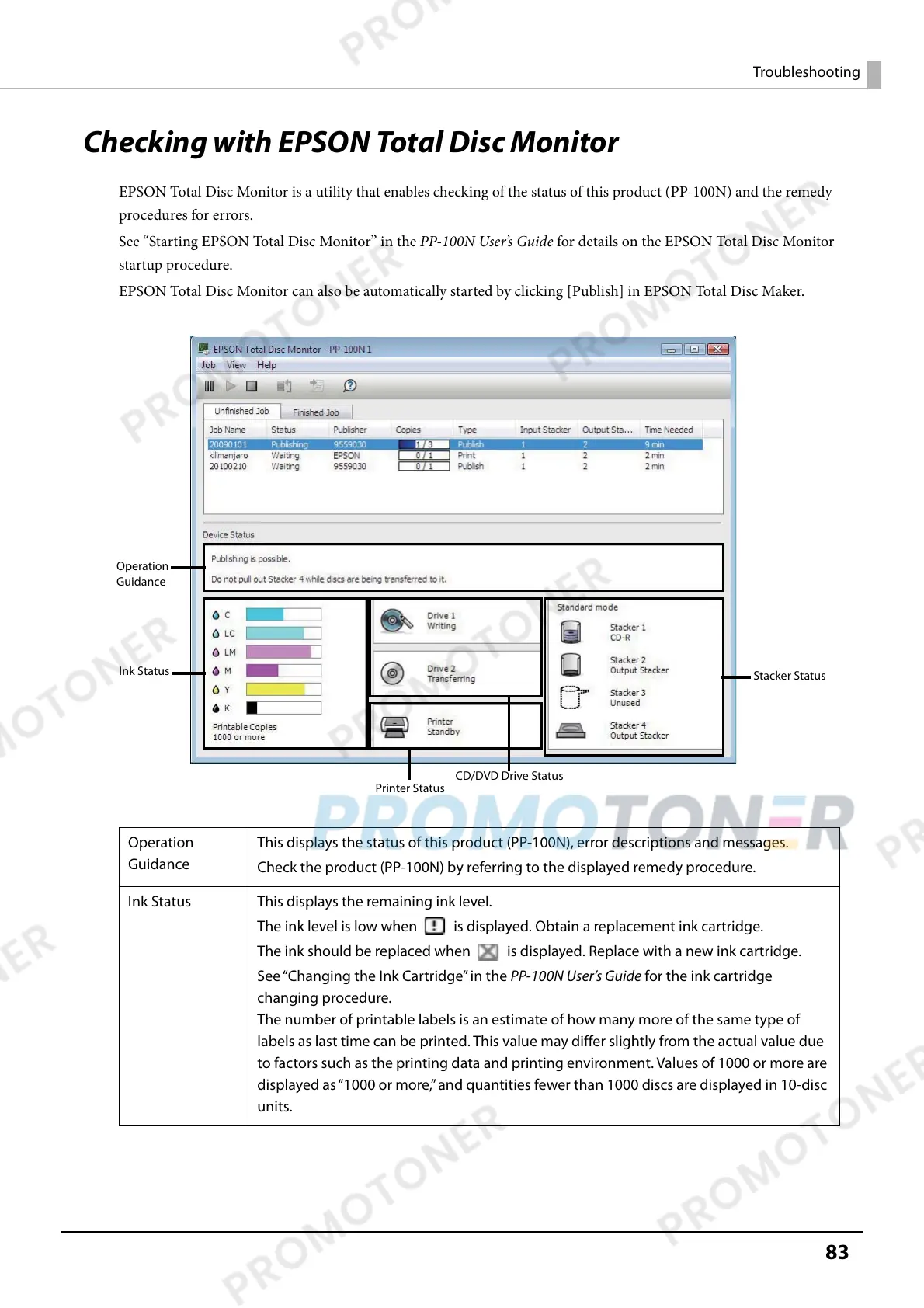
EPSON Total Disc Monitor is a utility that enables checking of the status of this product (PP-100N) and the remedy
procedures for errors.
See “Starting EPSON Total Disc Monitor” in the PP-100N User’s Guide for details on the EPSON Total Disc Monitor
startup procedure.
EPSON Total Disc Monitor can also be automatically started by clicking [Publish] in EPSON Total Disc Maker.
Operation
Guidance
This displays the status of this product (PP-100N), error descriptions and messages.
Check the product (PP-100N) by referring to the displayed remedy procedure.
Ink Status This displays the remaining ink level.
The ink level is low when is displayed. Obtain a replacement ink cartridge.
The ink should be replaced when is displayed. Replace with a new ink cartridge.
See “Changing the Ink Cartridge” in the PP-100N User’s Guide for the ink cartridge
changing procedure.
The number of printable labels is an estimate of how many more of the same type of
labels as last time can be printed. This value may differ slightly from the actual value due
to factors such as the printing data and printing environment. Values of 1000 or more are
displayed as “1000 or more,” and quantities fewer than 1000 discs are displayed in 10-disc
units.
Ink Status
Printer Status
Stacker Status
Operation
Guidance
CD/DVD Drive Status



 To Next Page