❏
C
When you want to separate jobs, select this to choose the separation method, and then select Separation
Settings to make detailed settings.
❏
D
Change the settings as necessary.
When you select Show Edit Page dialog before saving, you can make edits on the Edit Scanned Results
screen aer scanning.
When you have nished making save settings, click Next or the 3. Index tab.
7.
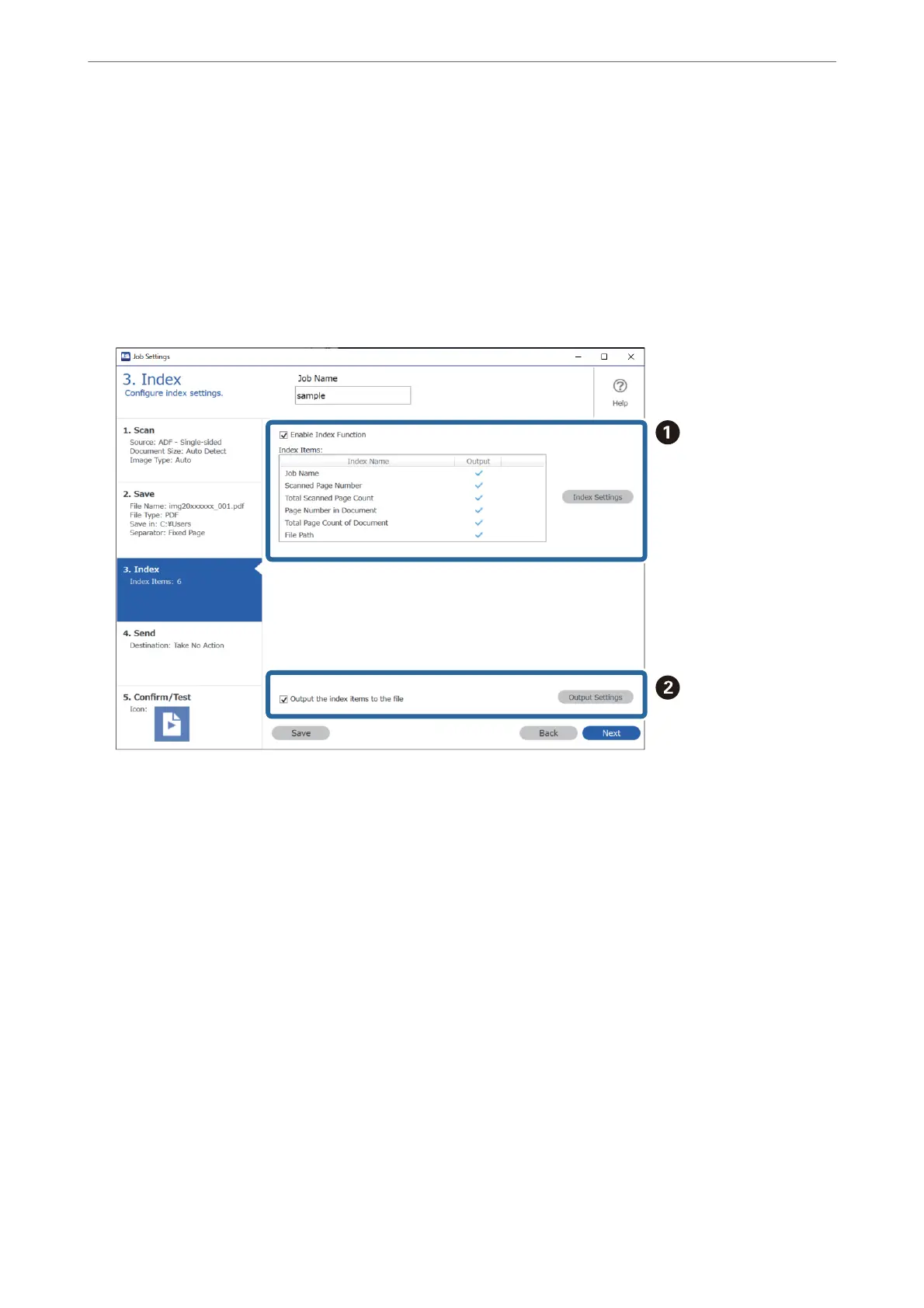
You c an m a ke i nd e x
le
settings on the 3. Index tab.
❏
A
When creating an index le, select Enable Index Function.
Click Index Settings and select the items you want to use for the index.
❏
B
Select Output the index items to the
le
, and then click Output Settings to set the output items and
le
name used when outputting to a le.
When you have nished making index settings, click Next or the 4. Send tab.
Basic Scanning
>
Scanning from a Computer
>
Scanning Using Document Capture Pro (Windows)
100



 To Next Page