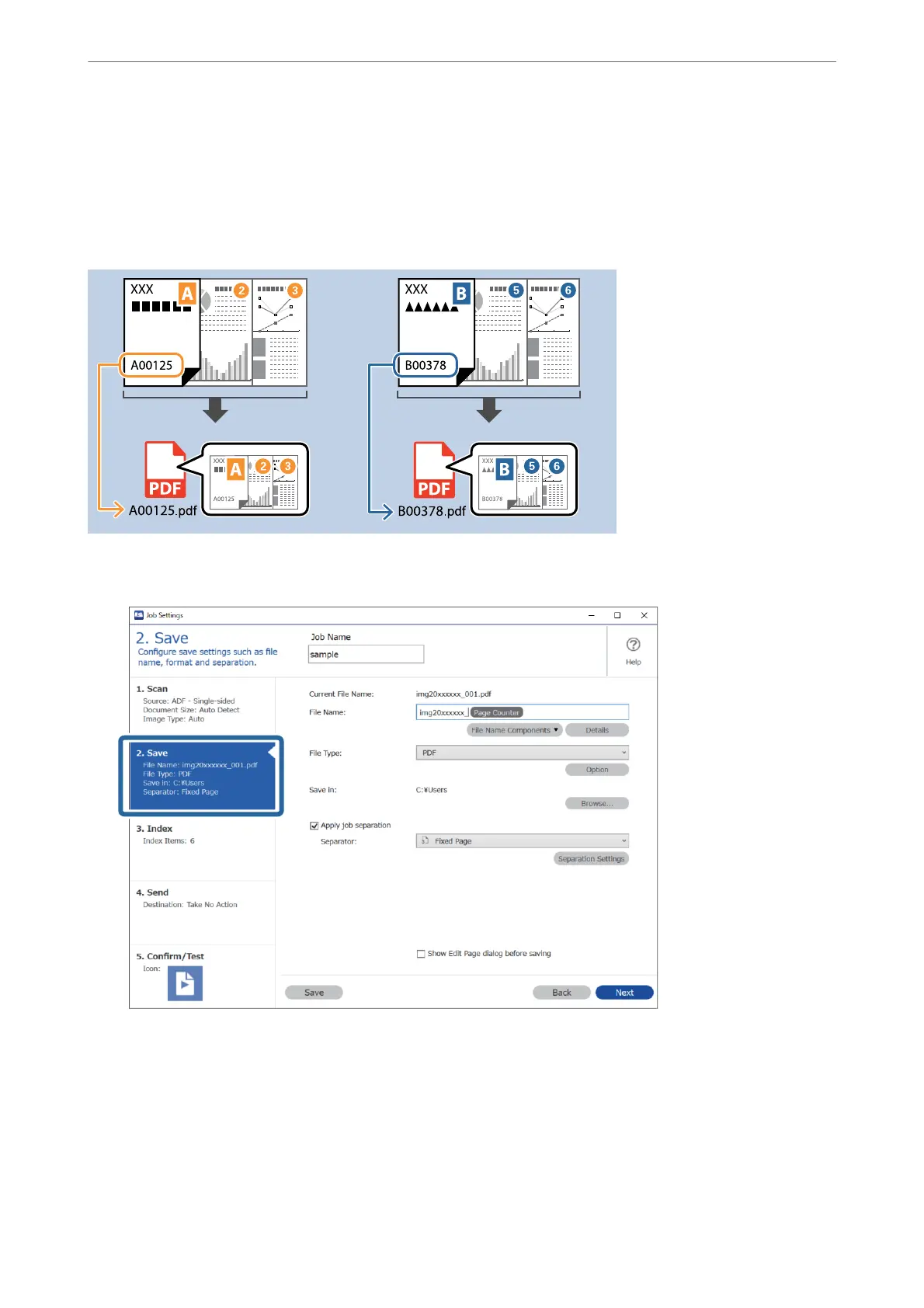
Saving les with le names using OCR characters
Using OCR (a function for detecting text in scanned images and converting it to readable text), you can read the
text from the specic area, and then save les with le names using the recognized text.
is section explains the job settings for "Saving les using the text read in OCR”.
1
2
3
4
5
0.0
0.2
0.4
0.6
0.8
1.0
1.2
1
2
3
4
5
0.0
0.2
0.4
0.6
0.8
1.0
1.2
1
2
3
4
5
0.0
0.2
0.4
0.6
0.8
1.0
1.2
1
2
3
4
5
0.0
0.2
0.4
0.6
0.8
1.0
1.2
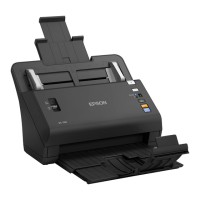
1.
Display the Job Settings screen, and then click the 2. Save tab.
Advanced Scanning
>
Various Scanning Settings for Document Capture Pro (for Windows Only)
>
Saving les wi
…
151



 To Next Page