Contacts Conguration Comparison
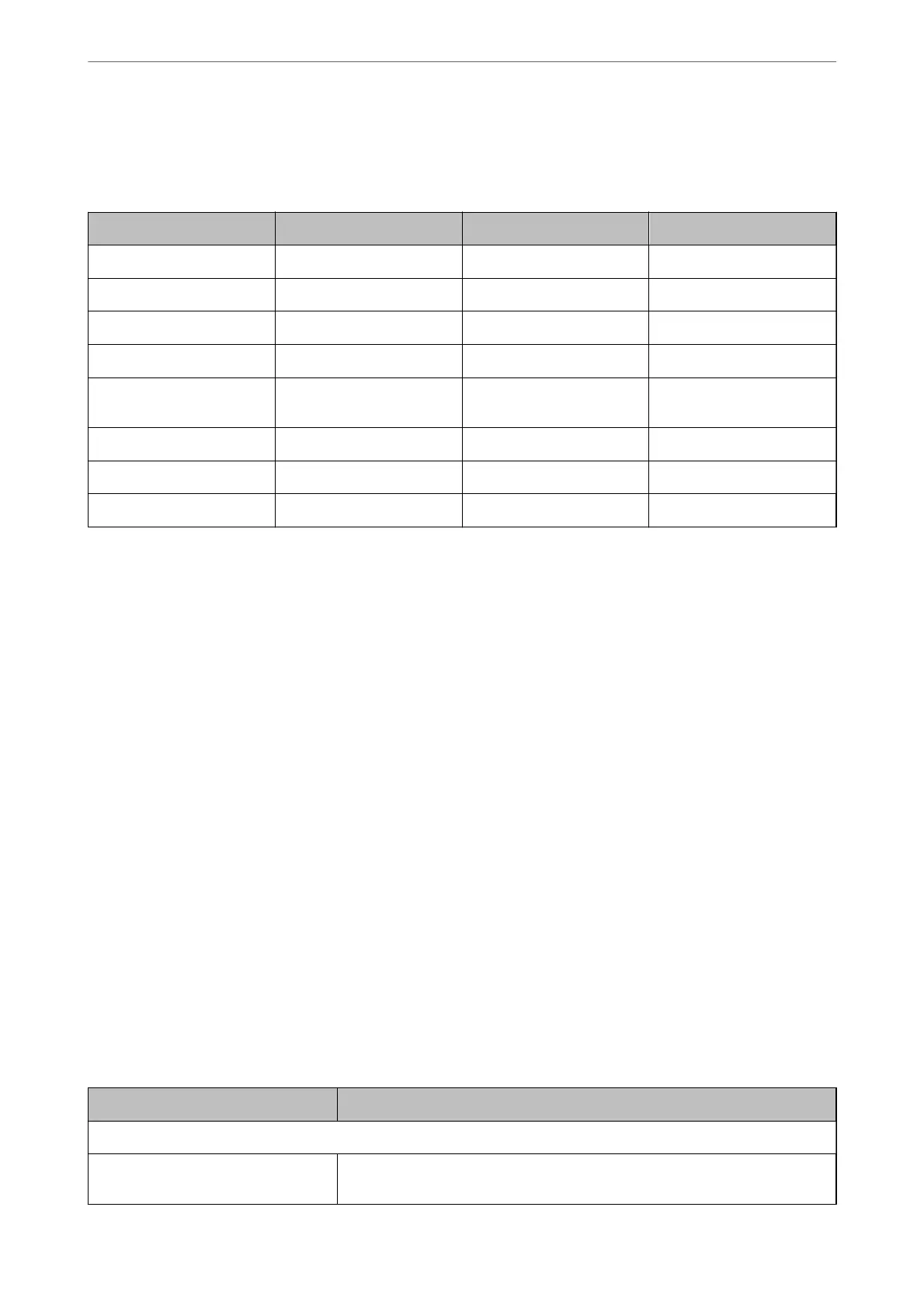
ere are two tools for conguring the scanner's contacts: Web Cong and Epson Device Admin.
Features Web Cong Epson Device Admin Scanner’s control panel
Registering a destination ✓✓ –
Editing a destination ✓✓ –
Adding a group ✓✓ –
Editing a group ✓✓ –
Deleting a destination or
groups
✓✓ –
Deleting all destinations ✓✓ –
Importing a le ✓✓ –
Exporting to a le ✓✓ –
Registering a Destination to Contacts using Web Cong
Note:
You can also register the contacts on the scanner's control panel.
1.
Access Web Cong and select the Scan tab > Contacts.
2.
Select the number that you want to register, and then click Edit.
3.
Enter Name and Index Word.
4.
Select the destination type as the Type option.
Note:
You cannot change the Ty pe option aer registration is complete. If you want to change the type, delete the destination
and then register again.
5.
Enter a value for each item, and then click Apply.
Related Information
& “Running Web
Cong
on a Web Browser” on page 23
Destination Setting Items
Items Settings and Explanation
Common Settings
Name Enter a name displayed in the contacts in 30 characters or less in Unicode (UTF-8).
If you do not specify this, leave it blank.
Preparing to Scan over a Network
>
Making Contacts Available
>
Registering a Destination to Contacts u
…
81



 To Next Page