Note:
❏ In Maximum Length of Detected Text, you can specify the maximum number of characters used for the le name
from the text detected in the specied area.
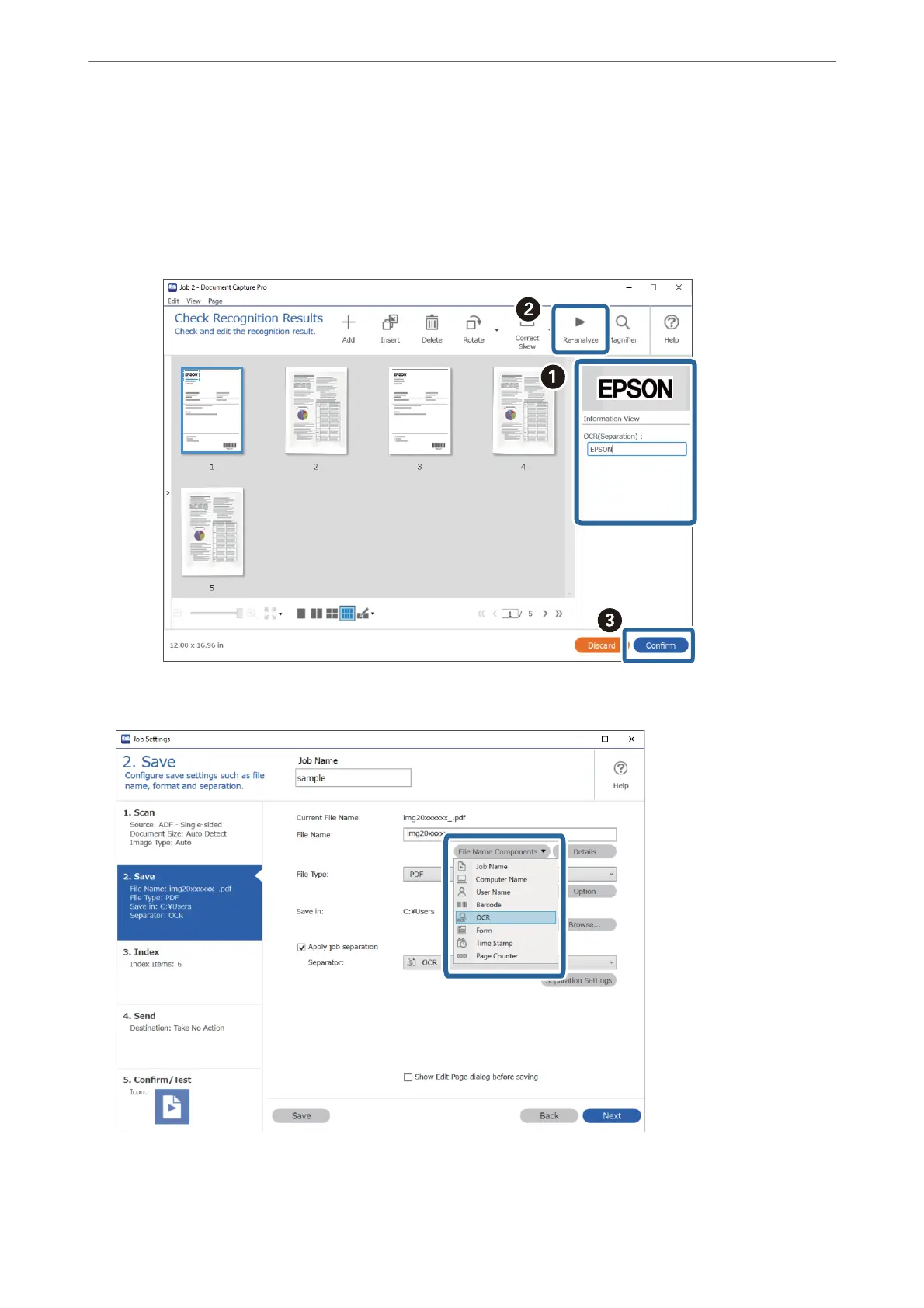
❏ Select Show the detection result to check whether or not text has been read correctly. On the screen displayed aer
scanning, you can check the area and text that has been recognized. You can also re-specify the area, and correct the
text.
12.
Select OCR from File Name Components.
Advanced Scanning
>
Various Scanning Settings for Document Capture Pro (for Windows Only)
>
Saving les wi
…
157



 To Next Page