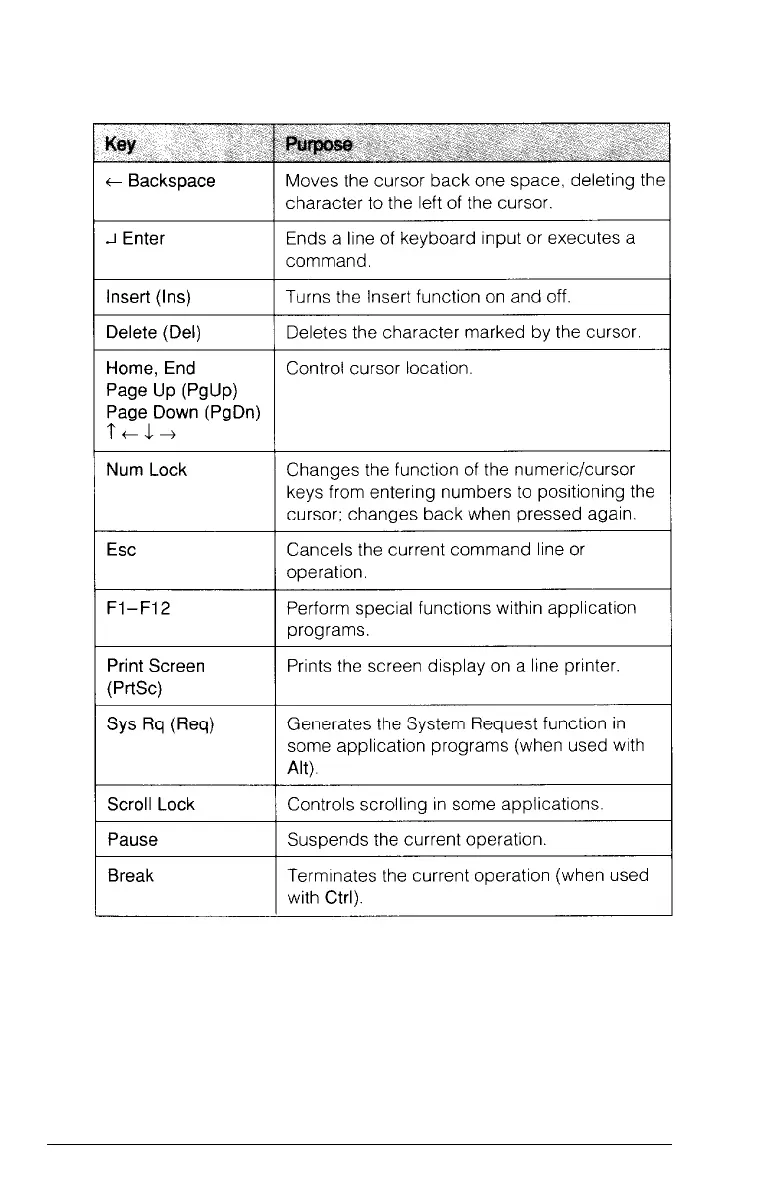
Key functions (continued)
The Caps Lock, Num Lock, and Scroll Lock keys work as
toggles; press the key once to turn on a function and again to
turn it off. When the function is enabled, the corresponding
light in the upper right corner of the keyboard is on. When the
function is disabled, the light is off.
Using the Equity 386/25
3-9



 To Next Page