Using Memory Cards 18
Using the SD Card Slot
You can use Secure Digital or MultiMedia cards in the SD
Card
slot.
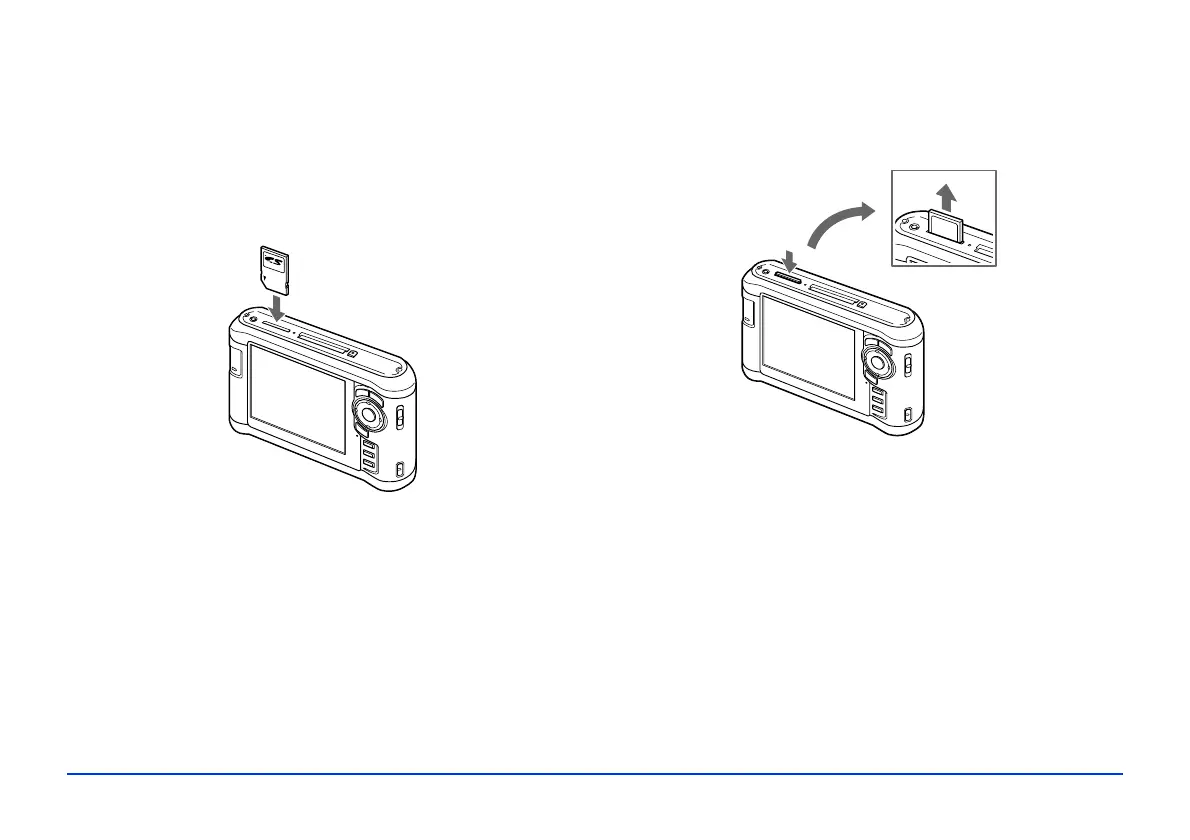
Insert the memory card into the slot as shown below. Then
push the memory card all the way into the slot.
Caution:
Make sure you insert memory cards in the correct orientation.
Otherwise, the card and viewer may be damaged.
To remove a card from the SD Card slot, first make sure the
memory card access light is off. Then press in on the top of
the card.
When the card pops up, pull it out of the slot.



 To Next Page