108 Fine-Tuning the Projector
Customizing Projector Features
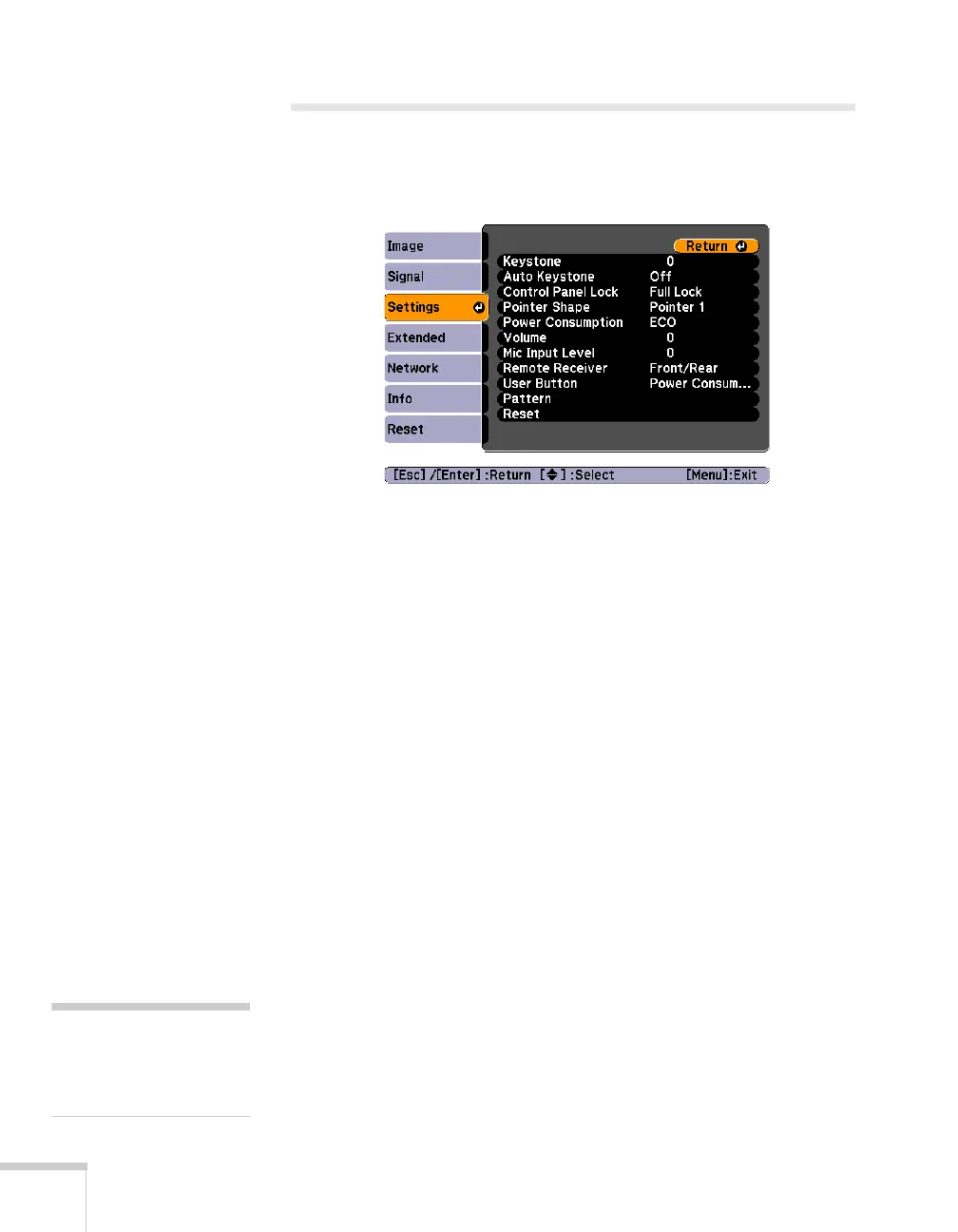
You can use the Settings menu to lock the buttons on the projector,
adjust audio volume, and customize several other features.
■ Keystone
Squares up the shape of the image after the projector has been
tilted upward. If you notice lines or edges looking jagged after
adjusting the shape, decrease the Sharpness setting (see page 104).
■ Auto Keystone
Automatically compensates for keystone distortion when the
projector is tilted upward. This feature is available only when the
projector is set for front projection (it is enabled by default).
■ Control Panel Lock
Lets you disable the buttons on the projector. See page 115 for
more information.
■ Pointer Shape
Lets you choose from three alternative pointer shapes. See page 42
for more information.
■ Power Consumption
Lets you select from two levels of brightness. The ECO setting
reduces power consumption and noise, and extends the lamp’s
operating life.
■ Volume
Raises or lowers the volume of the projector’s speaker for each
type of signal.
note
You can also adjust the
volume using the remote
control.







 To Next Page