94 Using the Projector on a Network
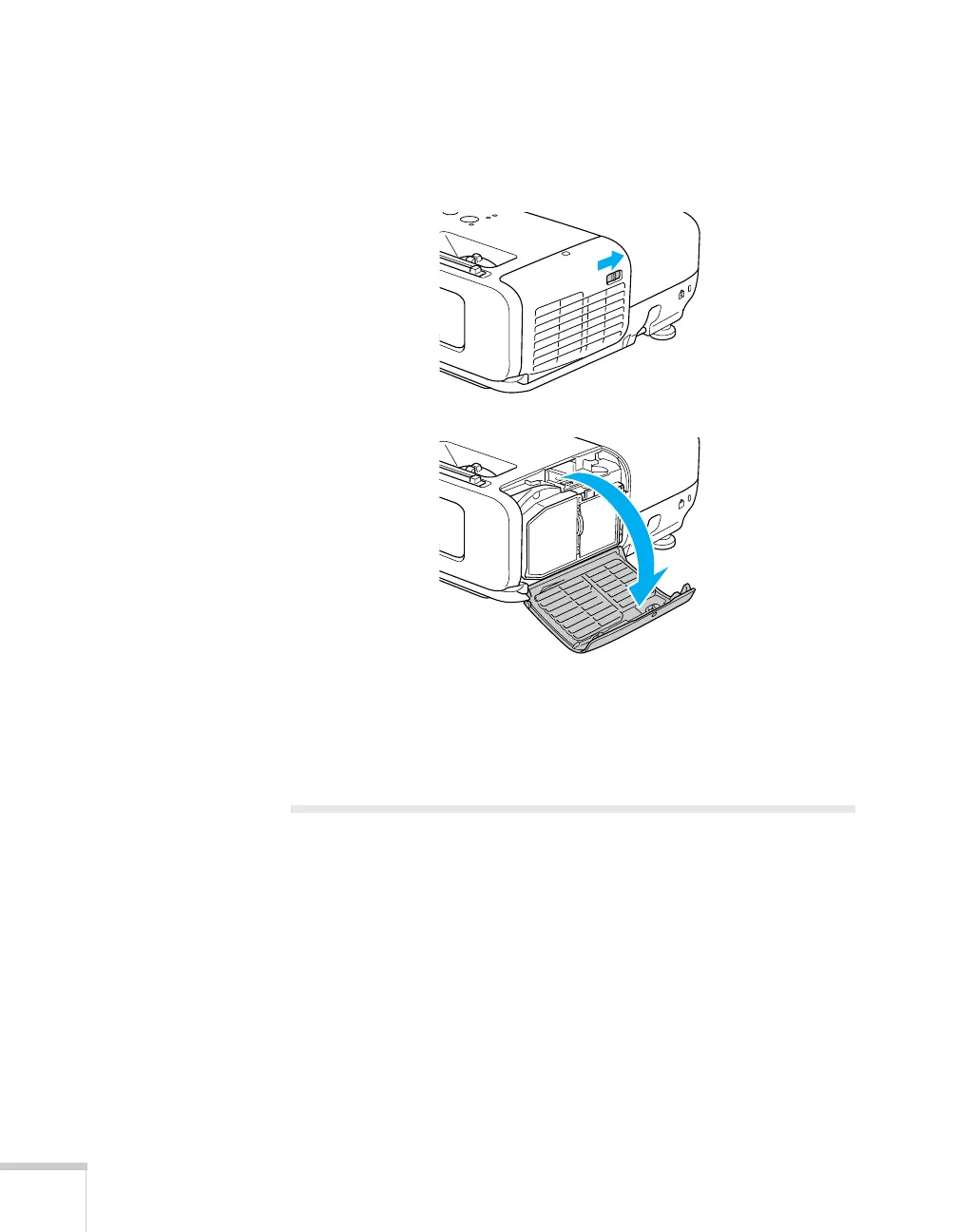
3. Turn off the projector and unplug it.
4. Open the air filter cover by sliding the switch and pulling down
the cover.
5. Unscrew the module, then pull it out.
6. Close the air filter cover.
Using Projector E-mail Alerts
When this feature is enabled, the projector sends you an e-mail alert if
it has any problems.
1. Press the
Menu button on the remote control, select the
Network menu, then press Enter.
2. Choose
Network Configuration and press Enter.







 To Next Page