126 Maintaining the Projector
Replacing the Air Filter
If the filter is difficult to clean or damaged, or if the overheating
message appears after cleaning, you need to replace the filter. To
obtain a new filter, contact your dealer, call Epson at
800-GO-EPSON (800-463-7766), or purchase online at
www.epsonstore.com (U.S. sales) or www.epson.ca (Canadian sales).
1. Turn off the projector.
2. When the Ppower light stops flashing and you hear two beeps,
unplug the power cord.
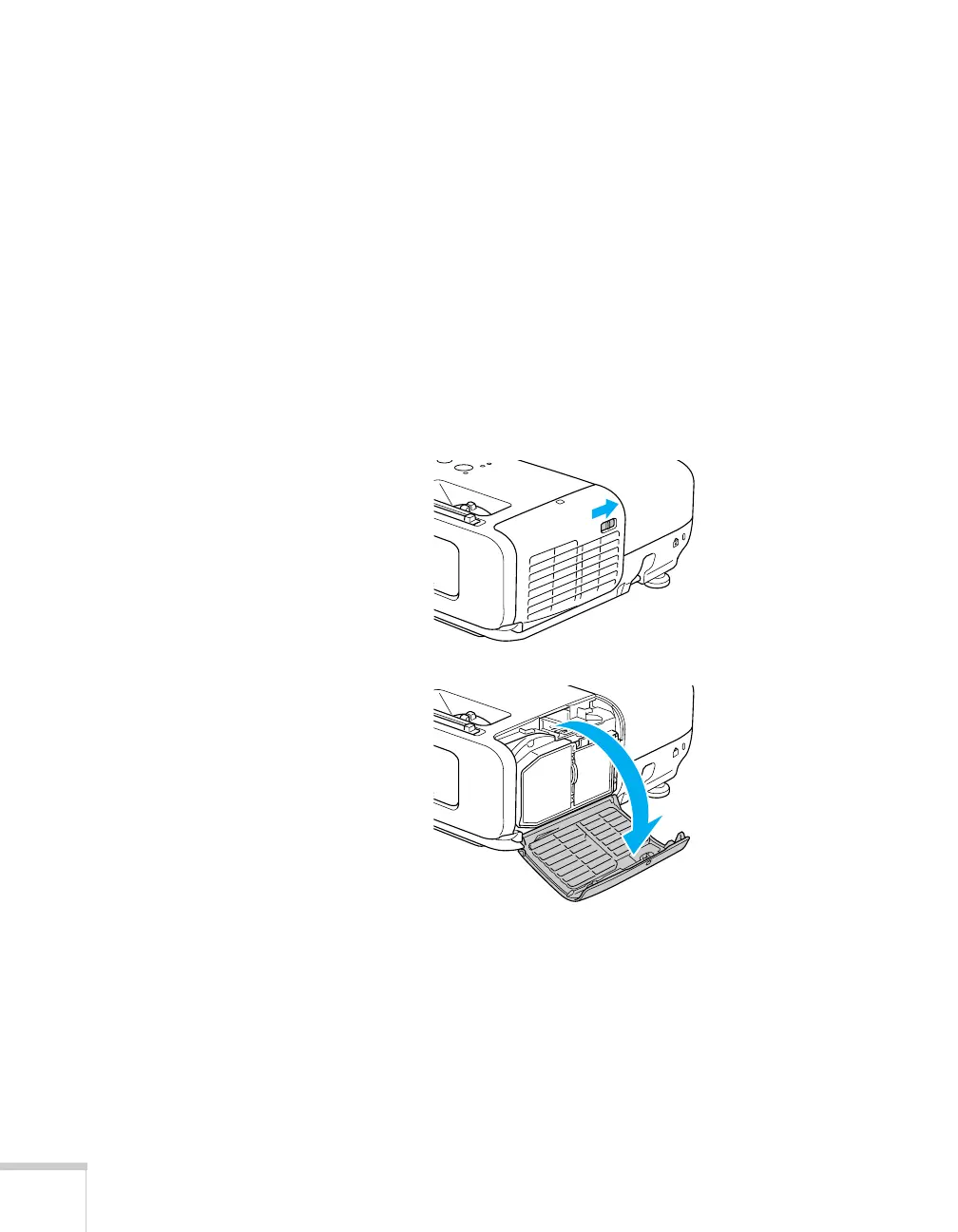
3. Open the air filter cover by sliding the switch and pulling down
the cover.







 To Next Page