C
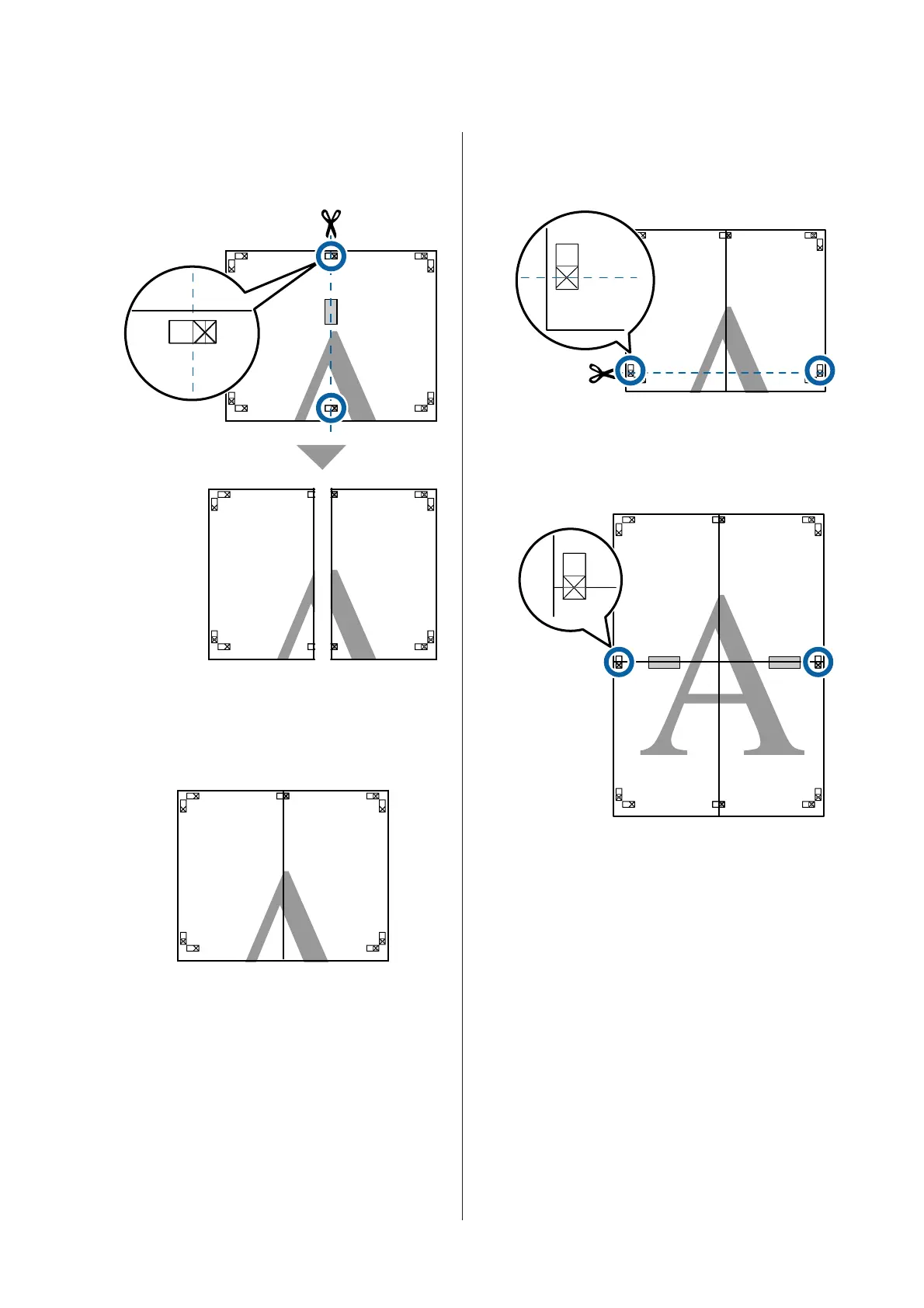
With the two sheets overlapping, trim the excess
by cutting along the line joining the two cut
guides (the lines to the left of the X marks).
D
Rejoin the two sheets.
Use an adhesive tape to stick the backs of the
sheets together.
E
Repeat Steps 1 to 4 for the lower sheets.
F
Trim the bottom from the upper sheets by
cutting along the line joining the two guides (the
lines above the X marks).
G
Lay the upper sheet on top of the lower sheet.
Lineup the X marks as shown in the illustration
below, and temporarily fasten them using an
adhesive tape on the back.
SC-T7200 Series/SC-T5200 Series/SC-T3200 Series/SC-T7200D Series/SC-T5200D Series User's Guide
More Ways to Print
109


 To Next Page
 Loading...