C
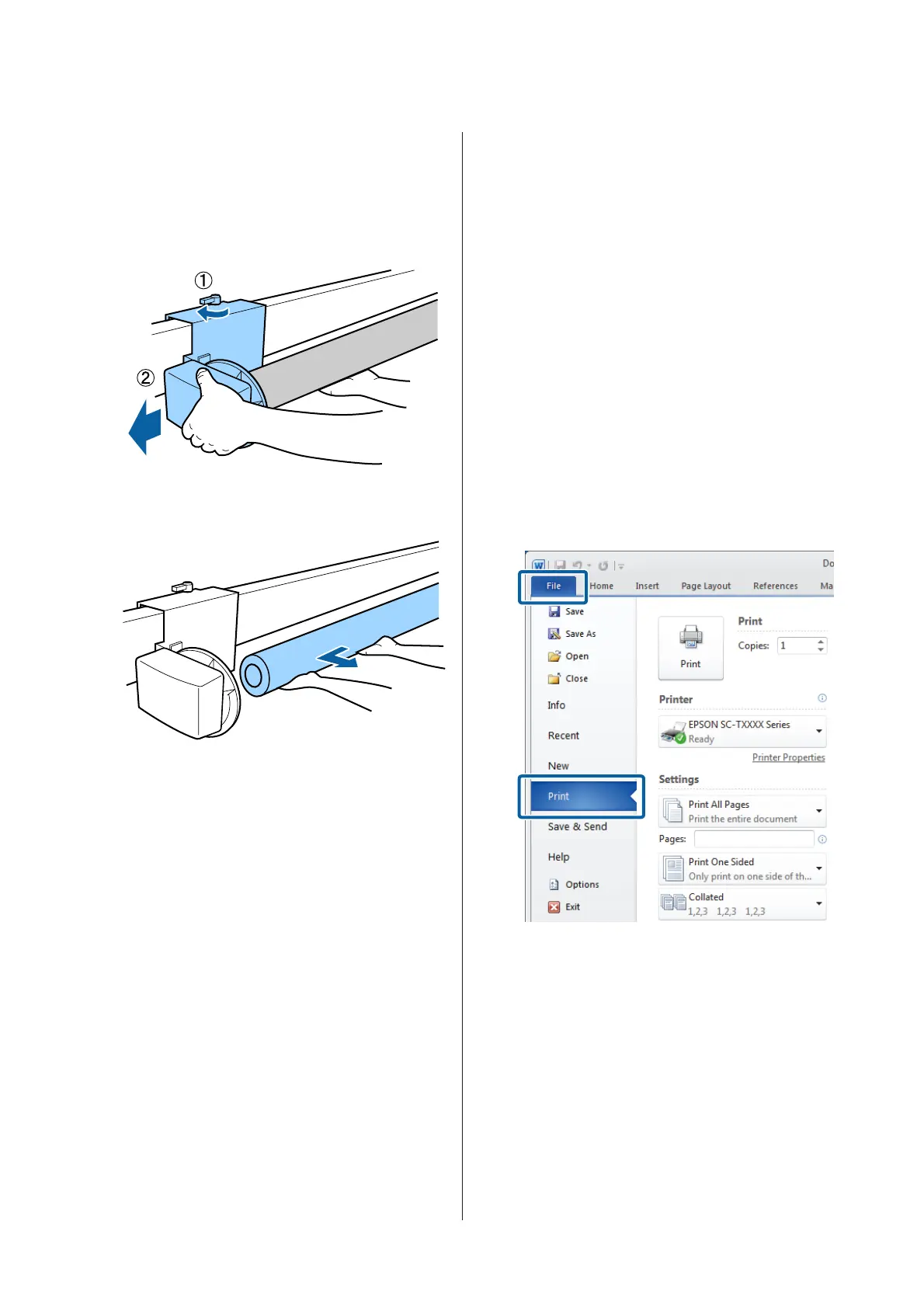
Unlock the movable unit and remove it from the
roll core.
When removing the movable unit, support the
roll core with one hand to prevent it falling to the
floor.
D
Remove the roll core from the auto take-up reel
unit.
Basic Printing Methods
(Windows)
Printing is performed from the application used to
create the document you wish to print. The basic
procedure is described below.
A
Turn on the printer, and load the paper.
U “Attaching the Roll Paper Adapter” on
page 27
U “Loading Cut Sheets” on page 37
U “Loading Poster Board” on page 39
B
When you have created the data, click Print in
the File menu.
SC-T7200 Series/SC-T5200 Series/SC-T3200 Series/SC-T7200D Series/SC-T5200D Series User's Guide
Basic Operations
56


 To Next Page
 Loading...