Item Description
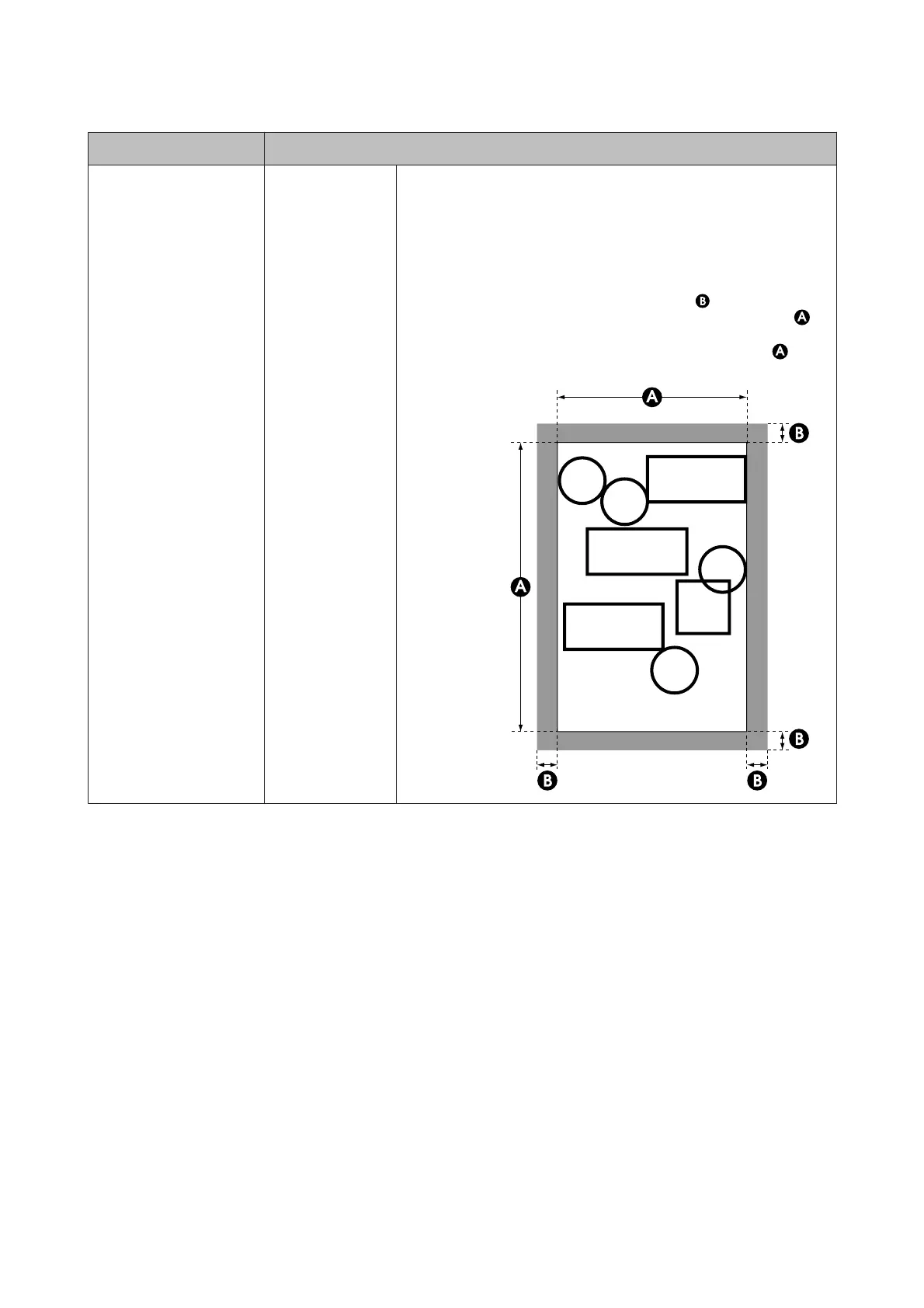
Add Margins
The position at which the margin is added depends on the Output Size
setting, as shown below.
❏ When set to Auto
The result is the same as when Standard is selected.
❏ When set to a standard size or User Defined
Adds the value selected for Margin (area of
in the following
illustration) outside the size selected for Output Size (area of
in
the following illustration). With the actual Output Size, the margin
section becomes larger than the selected size (the area of
in the
following illustration).
SC-T7200 Series/SC-T5200 Series/SC-T3200 Series/SC-T7200D Series/SC-T5200D Series User's Guide
Using the Control Panel Menu
153


 To Next Page
 Loading...