*3 When MFP Scanner is connected to the SC-T7200 Series/SC-T5200 Series/SC-T3200 Series only
When the MFP Scanner is connected to the SC-T7200D Series/SC-T5200D Series, cut sheets are not supported.
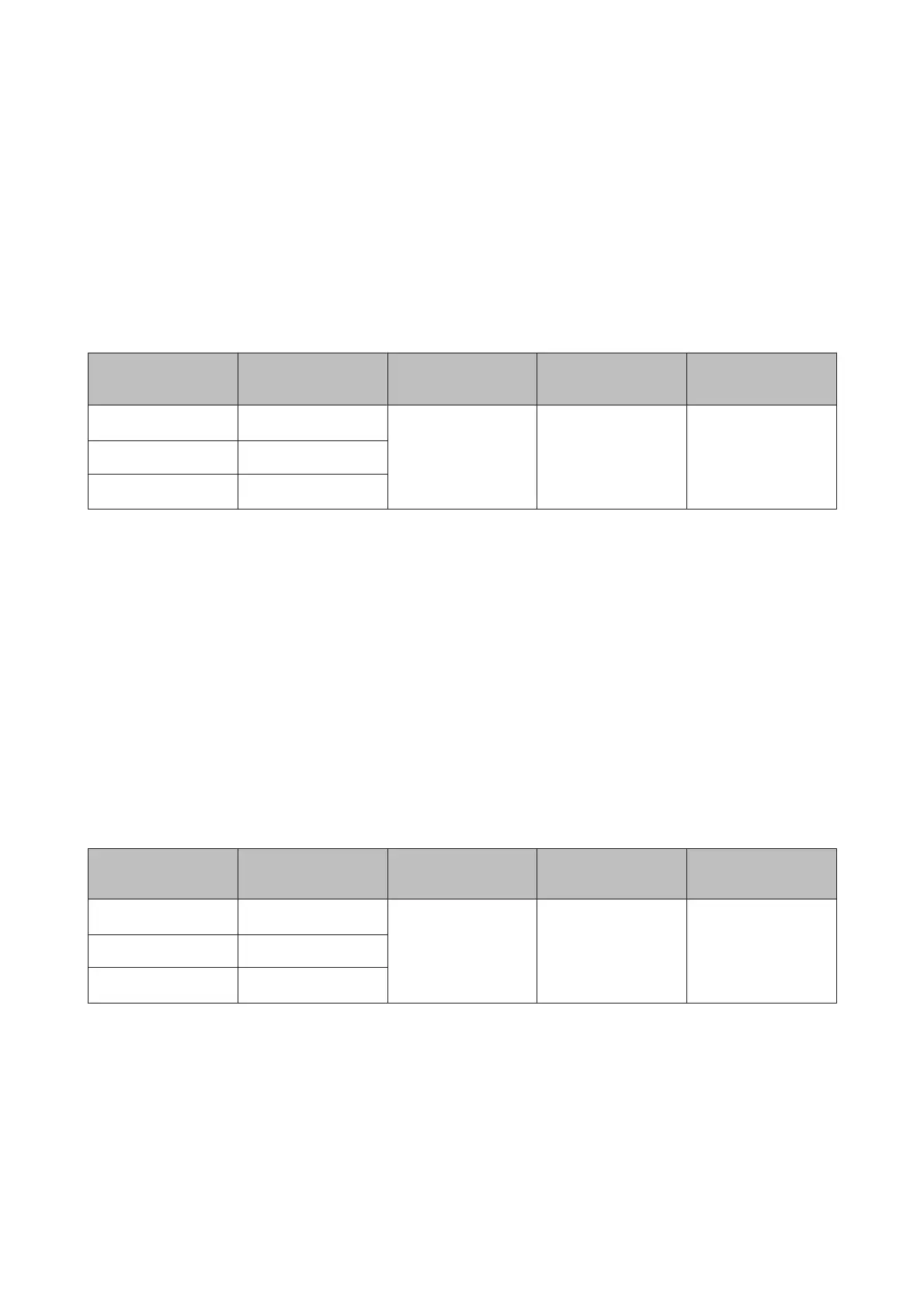
Premium Luster Photo Paper
Thickness: 0.27mm
ICC Profile: EPSON SC-T3000_5000_7000_Series Premium Luster Photo Paper.icc
Size Borderless Head Alignment
Enlarged
*2
Large Copy/
Large Scan
*3
Super B
✓
*1
✓✓✓
A2 -
US-C
✓
*1
*1 Borderless printing available, but borders may appear or print quality decline due to paper expanding or
contracting.
*2 Load the cut sheet, and then perform a copy operation.
*3 When MFP Scanner is connected to the SC-T7200 Series/SC-T5200 Series/SC-T3200 Series only
When the MFP Scanner is connected to the SC-T7200D Series/SC-T5200D Series, cut sheets are not supported.
Archival Matte Paper/Enhanced Matte Paper
Thickness: 0.26mm
ICC Profile: EPSON SC-T3000_5000_7000_Series Enhanced and Archival Matte Paper.icc
Size Borderless Head Alignment Enlarged
Large Copy/
Large Scan
Super A3/B
✓
*1
✓
--A2 -
US-C
✓
*1
*1 Borderless printing available, but borders may appear or print quality decline due to paper expanding or
contracting.
Photo Quality Inkjet Paper
Thickness: 0.12mm
ICC Profile: EPSON SC-T3000_5000_7000_Series Photo Quality Ink Jet Paper.icc
SC-T7200 Series/SC-T5200 Series/SC-T3200 Series/SC-T7200D Series/SC-T5200D Series User's Guide
Appendix
203


 To Next Page
 Loading...